

Documentation
HTML Macro+ for ConfluenceBrowse
Documentation
HTML Macro+ for ConfluencePermissions
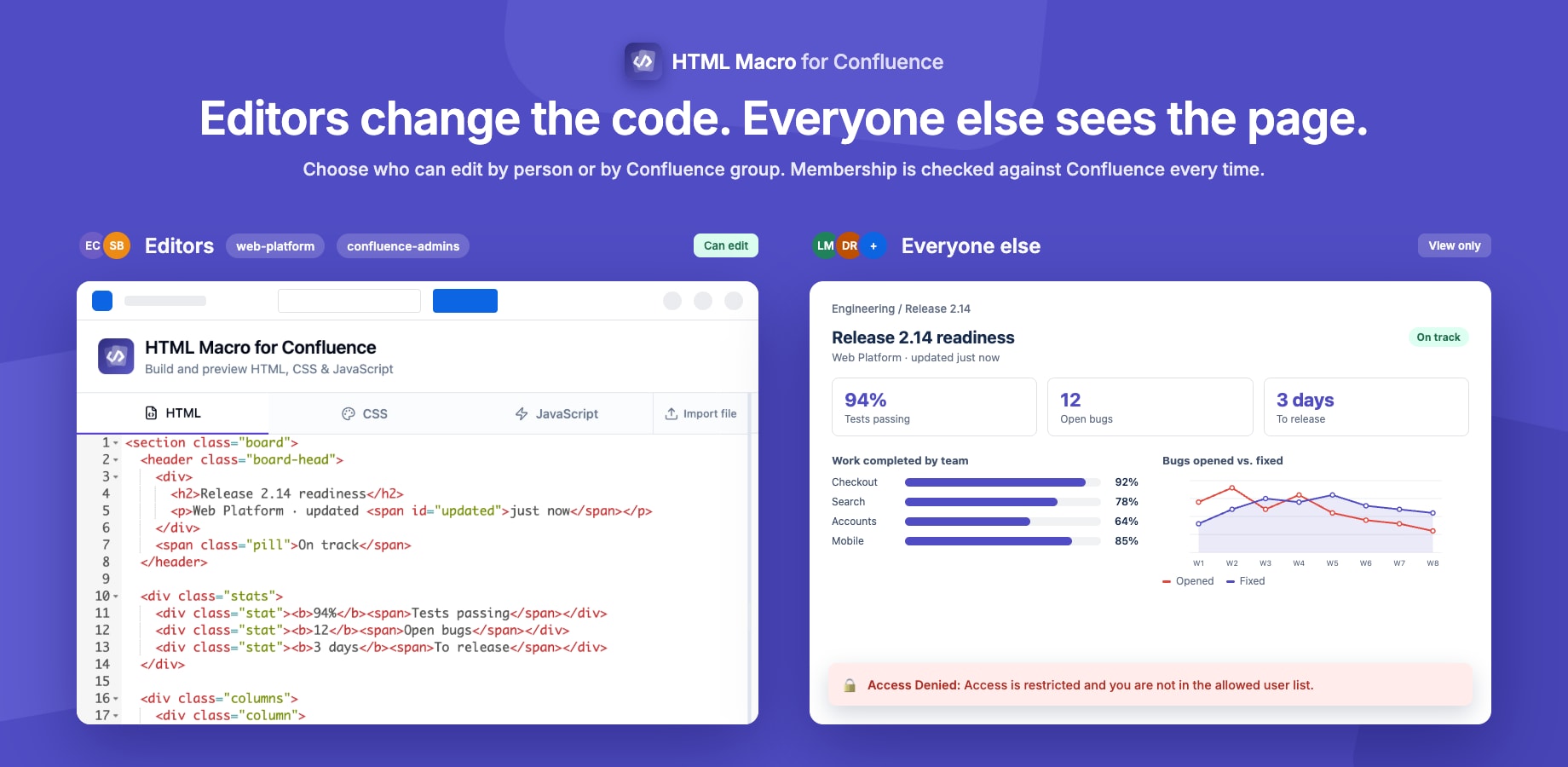
Permissions control who can open and use the HTML editor. This is separate from Confluence's own page permissions — it is specific to the HTML macro editor. You can allow individual users, Confluence groups, or both.
How It Works
Editor Access Disabled (Default)
When Restrict editing to whitelisted users and groups is OFF:
- ✅ Everyone with Confluence page edit permission can open and use the HTML editor
- ✅ No additional configuration needed
Use this when:
- Small, trusted teams
- Internal wikis where all editors are trusted
- Development or staging environments
Editor Access Enabled
When Restrict editing to whitelisted users and groups is ON:
- ✅ Users on the list, and members of the listed groups, can open and edit HTML macros
- ✅ Confluence administrators always have access
- ❌ All other users — even those with page edit permission — cannot open the editor
Users who do not have access will see an Access Denied message if they attempt to open the editor. They can still view the rendered macro output on the page.
Use this when:
- Only certain team members should be able to write raw HTML/JS
- You need to control the quality or security of embedded code
- Enterprise environments with compliance requirements
Configuring Who Can Edit
Adding users
- Go to the Permissions tab in the settings panel
- Turn on Restrict editing to whitelisted users and groups
- Under Select from Confluence Users, search by name or email and select a user
- Click Save Changes
Adding groups
- Under Select from Confluence Groups, search for a group and select it
- Click Save Changes
Click a group to see who it currently grants access to. Membership is checked against Confluence each time someone opens the editor, so adding or removing someone from the group in Confluence takes effect without touching these settings.
Note: Group-based access needs permission to read Confluence groups and users, added in v6.0.0. Until a site administrator approves the app update under Settings → Apps → Manage apps, the groups list is unavailable; individual users still work.
Removing users or groups
Click the × next to a user or group to remove it.
Warning: If restriction is on and both lists are empty, nobody can edit HTML content. The Permissions tab warns you when this is the case.
Tip: Confluence site administrators always retain full access to the editor, regardless of whether they are in the allowed list. This prevents admins from accidentally locking themselves out.
Viewing Permissions
Important: Restricting editor access does not affect who can view the rendered HTML macro on a Confluence page. All page visitors with view access will see the rendered output. Access control only restricts who can open the editor and modify the content.
Summary
| User type | Can view rendered output | Can open editor |
|---|---|---|
| Page viewer | ✅ Always | ❌ No editor access |
| Page editor (access off) | ✅ Always | ✅ Yes |
| Page editor (access on, not listed) | ✅ Always | ❌ Blocked |
| Page editor (access on, listed or in a listed group) | ✅ Always | ✅ Yes |
| Confluence admin | ✅ Always | ✅ Always |
Guides for HTML Macro+ for Confluence
Stuck on something this page does not cover? Ask the developers.