


.png&w=64&q=75)
 for JiraRuns on Atlassian
Mermaid Diagrams for Jira
Mermaid diagrams on every Jira issue: paste Mermaid or use the live editor, in your own colours
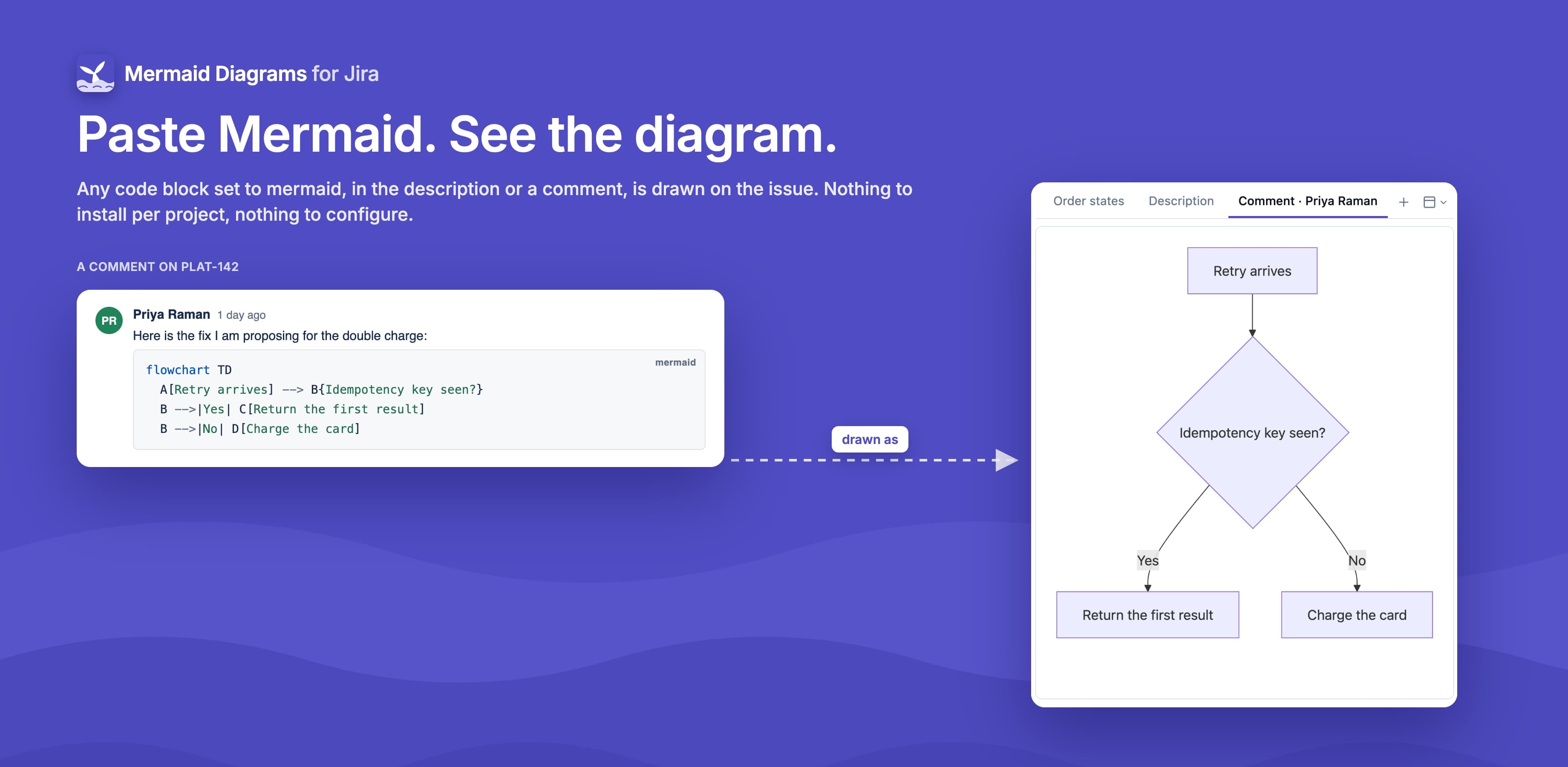
Draw Mermaid diagrams right on your Jira issues. Any mermaid code block in the description or a comment is drawn automatically, and a live editor lets anyone who can edit the issue add flowcharts, sequence diagrams, state machines and more. Diagrams are stored on the issue itself, so nothing leaves Atlassian.

What Mermaid Diagrams for Jira does
On every issue
A Mermaid diagrams section on the right of every issue, collapsed until needed, with a count
Mermaid code blocks
Every code block set to mermaid in the description and comments is drawn, read-only
Tabs, list or grid
Show several diagrams the way you like; each person's choice is remembered
Open large
Any diagram full size in a modal, stepping through the rest with the arrow keys
Live editor
Split code and preview, 12 templates, and theme, look and direction from the toolbar
Custom colour themes
Jira admins create site themes, each with a generated or hand-picked dark-mode version
Light and dark mode
Diagrams follow each reader's Jira theme
High-resolution PNG
Download any diagram as a sharp PNG, or view its Mermaid code
Edit permission respected
Only people who can edit the issue can add, change or delete its diagrams
What changes for your team
- See every diagram on an issue in one place, next to your other apps, with no setup per project
- Turn the Mermaid people already paste into descriptions and comments into real diagrams
- Add and edit diagrams in a live editor, starting from one of 12 templates
- Keep diagrams with the issue they explain: they are stored on the issue itself
- Give every diagram your brand colours, with a matching dark-mode version
- Let only people who can edit an issue change its diagrams
Questionsabout Mermaid Diagrams for JiraAsk us something else
Not out yet.
It is on the way to the Atlassian Marketplace. Tell us what you need from it and we will factor that in.