
 for Jira
Script Toolkit: JavaScript Scripting & Automation for Jira
Scripted fields, workflow rules, scheduled jobs, web triggers, panels and gadgets in JavaScript
Write JavaScript to extend Jira Cloud: your own panels on work items and project pages, dashboard gadgets, web triggers for other systems, scheduled jobs, scripted fields and workflow validators. Backend scripts run in an isolated sandbox on Atlassian Forge, read only unless you allow writes.
Why script Jira Cloud
Most Jira teams have a short list of small things they wish Jira did: show the linked deployment on every work item, post a comment when CI finishes, count overdue work every morning, refuse a transition when a field is empty. Each one is a few lines of code, but on Jira Cloud each one used to mean building and hosting a whole app, or living without it.
Script Toolkit gives those few lines a place to run. Jira admins write JavaScript in the browser, try it in the Script Console with their own permissions, and save it as a panel, a gadget, a web trigger, a scheduled job, a scripted field or a workflow rule. It all runs on Atlassian Forge, inside your Jira site.
What Script Toolkit for Jira does
Script Console
Run JavaScript against your Jira from the browser, with your own permissions, before saving anything
Fragments
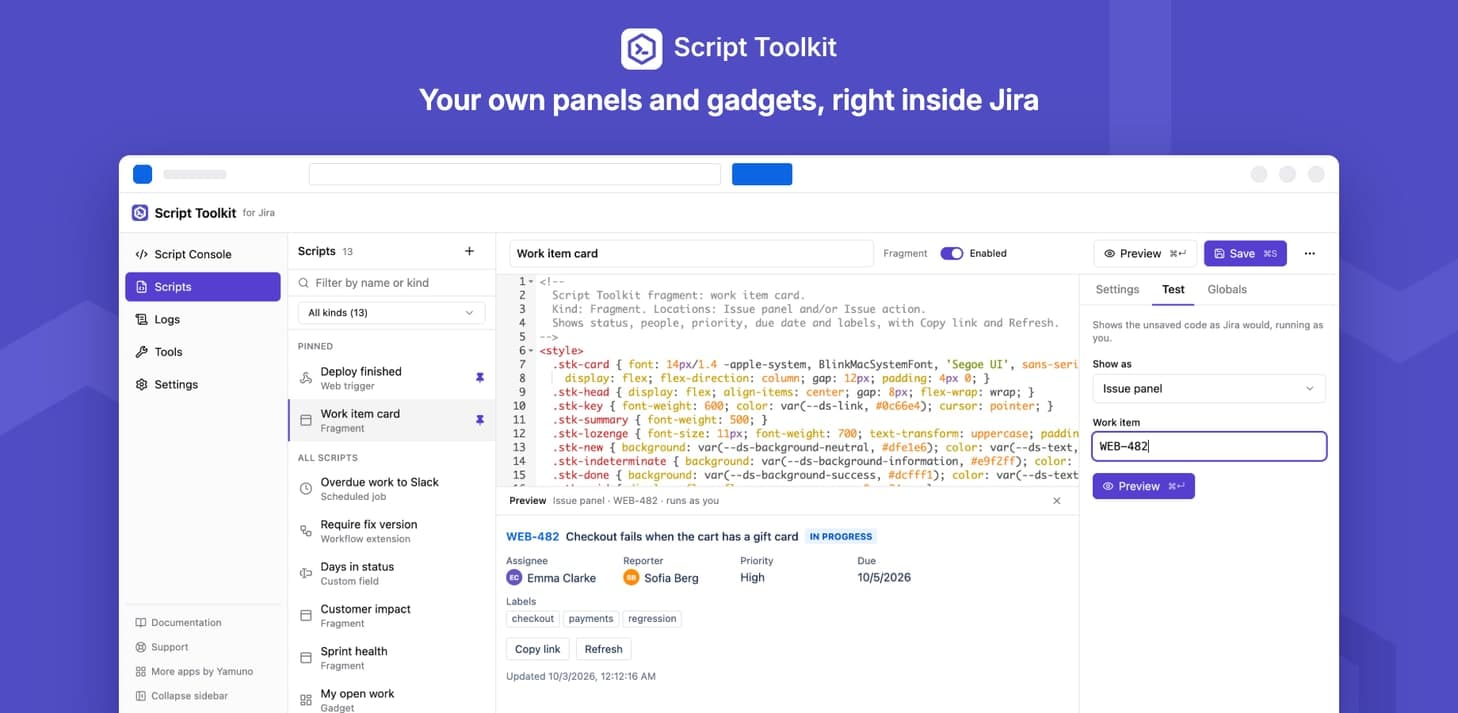
Your own HTML and JavaScript on work items, in a dialog and on project pages; several in one place become tabs
Dashboard gadgets
Build gadgets from scripts and pick one per gadget on any dashboard
Web triggers
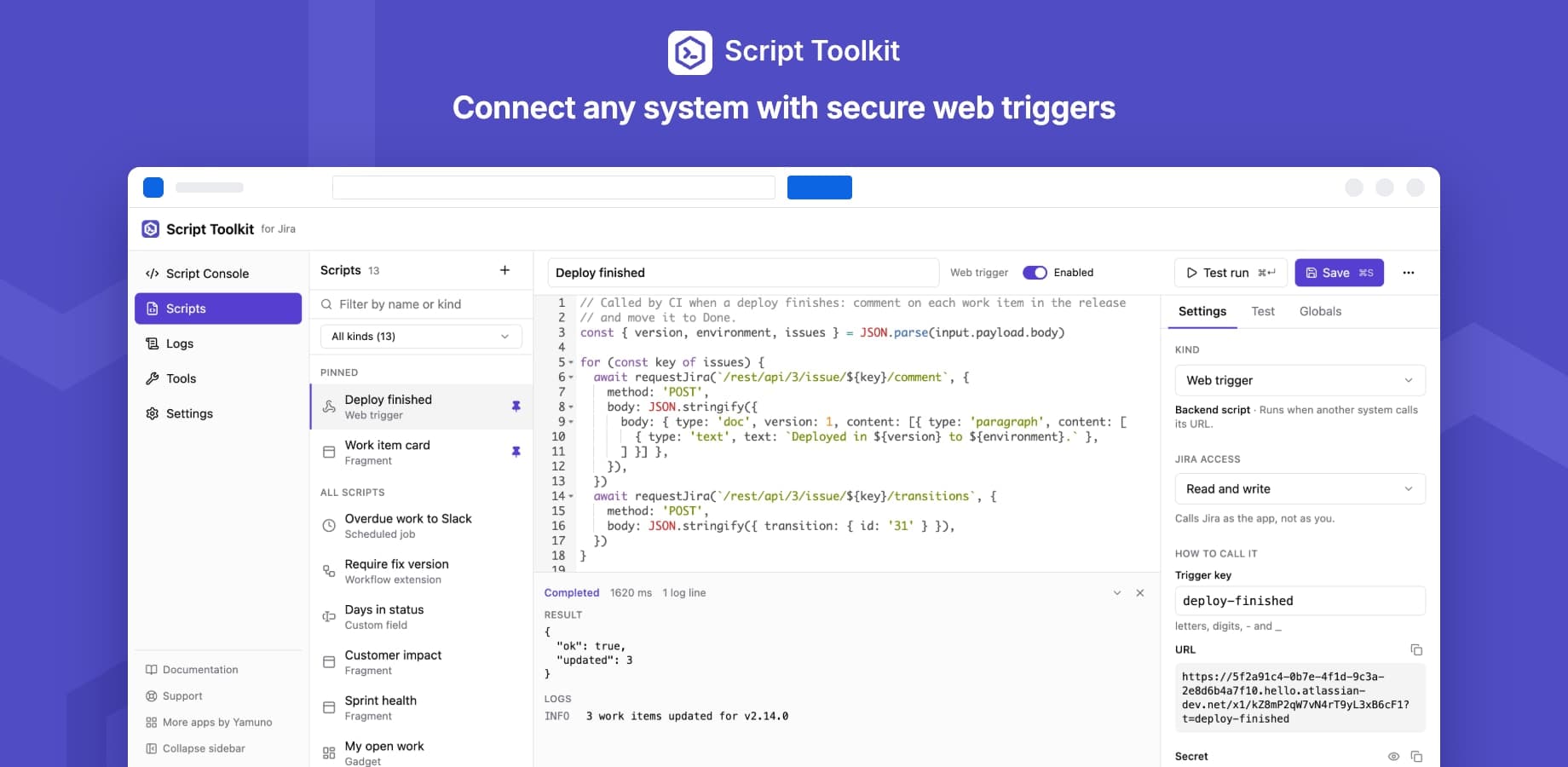
A secure URL with its own secret for each trigger, returning whatever your script returns
Scheduled jobs
Cron schedules in UTC for reports, clean-ups, syncs and reminders
Scripted fields
Text, number, user, date and date time fields computed by a script
Workflow validators and post-functions
Block a transition with a message, or act after it
Bulk tools
Seven bulk tools for work items, opened per tool to admins, groups or everyone
Safe by default
Isolated sandbox, read-only Jira access unless allowed, outbound calls by host, encrypted secrets and daily limits
What teams build with Script Toolkit for Jira
Receive webhooks in Jira
Give CI, monitoring or a form a secure URL that runs a script, such as a comment when a deployment finishes.
See howBulk change without admin rights
Let team leads transition, assign, label or comment on up to 5,000 work items from a JQL query.
See howCalculated fields
Text, number, user, date and date time fields whose value a script computes.
See howValidators and post-functions
Block a transition with a clear message, or act after it.
See howCustom dashboard gadgets
Build a gadget in HTML and JavaScript and pick it on any dashboard.
See howReports and clean-ups on a schedule
Cron jobs in UTC for reports, syncs and reminders.
See how
What changes for your team
- Add the panel your team keeps asking for to every work item, in HTML and JavaScript, without building a whole app
- Connect CI, monitoring and other tools to Jira with a web trigger: a secure URL with its own secret
- Run reports, clean-ups and syncs on a cron schedule
- Compute custom fields and enforce rules on workflow transitions with a few lines of code
- Let team leads run bulk changes safely: each tool is opened per group, and runs with their own permissions
- Keep control: backend scripts are read only unless you allow writes, and outbound calls go only to hosts you list
Script Toolkit for Jira keeps your content inside Atlassian
Read the Trust CenterRuns on Atlassian
Built on Forge, Atlassian's own app platform. Storage, authentication and permissions are Atlassian's, with no server of ours in the path.
Data residency
Your content stays in the region your Atlassian site is in and keeps the permissions you already set there.
Paperwork ready
A GDPR data processing agreement and a CAIQ Lite questionnaire are published for your security review.
DPACAIQ Lite
Script Toolkit for Jira at a glance
| Price | Free |
|---|---|
| Hosting | Atlassian Forge, no external servers |
| Language | JavaScript, with top-level await in backend scripts |
| Who writes scripts | Jira admins |
| Script kinds | Fragments, gadgets, web triggers, scheduled jobs, scripted fields, validators and post-functions |
| Jira access | Read only unless a script is allowed to write |
| Outbound calls | Off, a list of hosts you choose, or any public https host |
| Bulk tools | Seven, opened per tool to admins, groups or everyone |
| Scripted workflow conditions | No, use a validator instead |
Questionsabout Script Toolkit for JiraAsk us something else
Related apps
Charts - Reports and Graphs for Jira DashboardVisualize Jira issues with interactive, customizable charts and tables
 Issue History+ for JiraEvery change to every issue, time in status and insights, in one place
 Mermaid Diagrams for JiraMermaid diagrams on every Jira issue: paste Mermaid or use the live editor, in your own colours
Install Script Toolkit for Jira on your site.
It runs on Forge, so it installs from the Marketplace and your content stays inside your own instance.