
 for Confluence
Mermaid Diagram for Confluence
Mermaid diagrams in Confluence, with a live preview, templates, page trees, your own colour themes and GitHub, GitLab and Bitbucket sync
Write Mermaid and see the diagram as you type: flowcharts, sequence, class, state, ER, Gantt, mind maps and more. Map a Confluence page tree in one click, link any box to a page, and style every diagram with your own colour themes, in light and dark mode. Import diagrams from GitHub, GitLab and Bitbucket, keep them in sync and commit changes back. It runs on Atlassian Forge, and reaches outside Atlassian only where your admin connects it.

What Mermaid Diagram for Confluence does
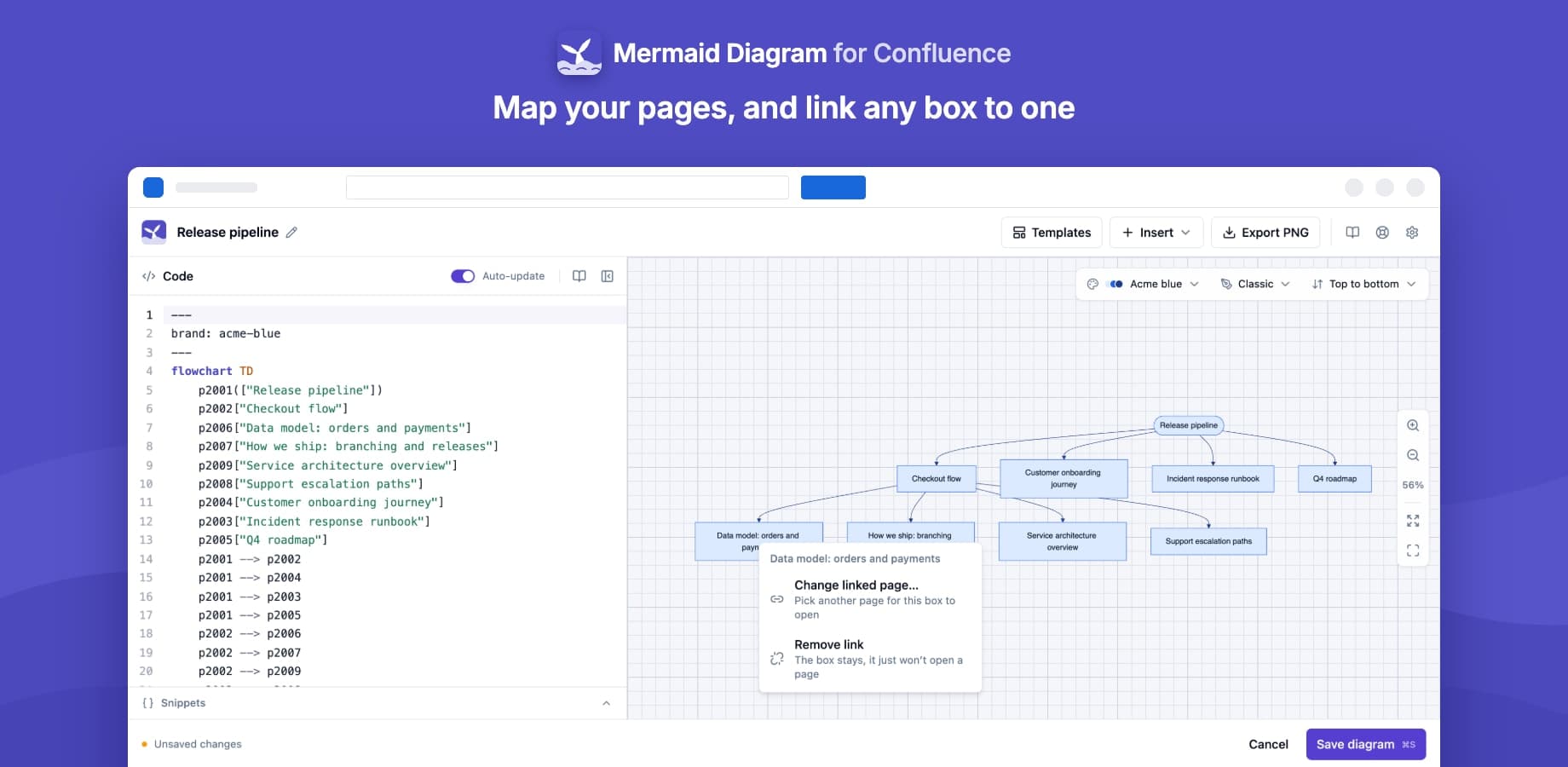
Split editor with live preview
Syntax highlighting on the left, the diagram on the right, updating as you type
12 templates
Flowchart, sequence, class, state, ER, Gantt, pie, mind map, timeline, user journey, Git graph and quadrant
Page tree
A diagram of a page and the pages under it, as a flowchart or a mind map, where every box opens its page
Links to pages
Right-click a box to make it open a Confluence page on the published diagram
Custom colour themes
Admins create named themes for the whole site, each with a generated or hand-picked dark-mode version
Dark mode and a hand-drawn look
Diagrams follow each reader's Confluence theme; switch any diagram to a hand-drawn look
Pan, zoom and full screen
In the editor and on the page; the zoom you set in the editor is kept for readers
High-resolution PNG
Download any diagram as a sharp PNG, from the editor or the published page
GitHub, GitLab and Bitbucket
Import a .mmd file or a Markdown diagram, even from private repositories, refresh it, and commit changes back
Import from a URL
Load a public .mmd or Markdown file from the sites your admin allows
Usage and search
Admins see every page that contains a diagram, and Confluence search finds diagrams by their text
What changes for your team
- Keep diagrams as text next to the docs they explain, so anyone can edit them without a drawing tool
- See the diagram as you type, and start from one of 12 templates instead of a blank page
- Map a section of your Confluence space as a diagram, where every box opens its page
- Turn any box in a flowchart into a link to a Confluence page with a right-click
- Give every diagram on the site your brand colours, with a matching dark-mode version
- Keep diagrams that live in your repositories in step with your pages, and commit changes back from Confluence
- Runs on Atlassian Forge and sends nothing to Yamuno; it only reaches GitHub, GitLab or Bitbucket if your admin connects them
Mermaid Diagram for Confluence keeps your content inside Atlassian
Read the Trust CenterRuns on Atlassian
Built on Forge, Atlassian's own app platform. Storage, authentication and permissions are Atlassian's, with no server of ours in the path.
Data residency
Your content stays in the region your Atlassian site is in and keeps the permissions you already set there.
Paperwork ready
A GDPR data processing agreement and a CAIQ Lite questionnaire are published for your security review.
DPACAIQ Lite
Questionsabout Mermaid Diagram for ConfluenceAsk us something else
Related apps
 Markdown Importer for Confluence CloudImport Markdown files into Confluence and export pages back to Markdown
 HTML Macro+ for ConfluenceAdd HTML, CSS, JavaScript and iframes to Confluence Cloud pages, with shared variables, components and brand tokens, live preview, version history and admin security controls.
 LaTeX Math for ConfluenceLaTeX equation editor and formula macros for Confluence Cloud, rendered with KaTeX
Install Mermaid Diagram for Confluence on your site.
It runs on Forge, so it installs from the Marketplace and your content stays inside your own instance.