for ConfluenceRuns on Atlassian
Advanced Attachment Manager for Confluence Cloud
Find, filter and clean up Confluence attachments in one place
See every Confluence attachment in one place, filter by type, uploader, date or usage, then bulk delete, download as a ZIP or export to CSV.
Why Confluence attachments get out of hand
Attachments pile up over the years: old screenshots nobody links to, large files uploaded once and forgotten, copies of the same document on several pages. Working out which files are unused or taking the most space across a site is slow work in Confluence.
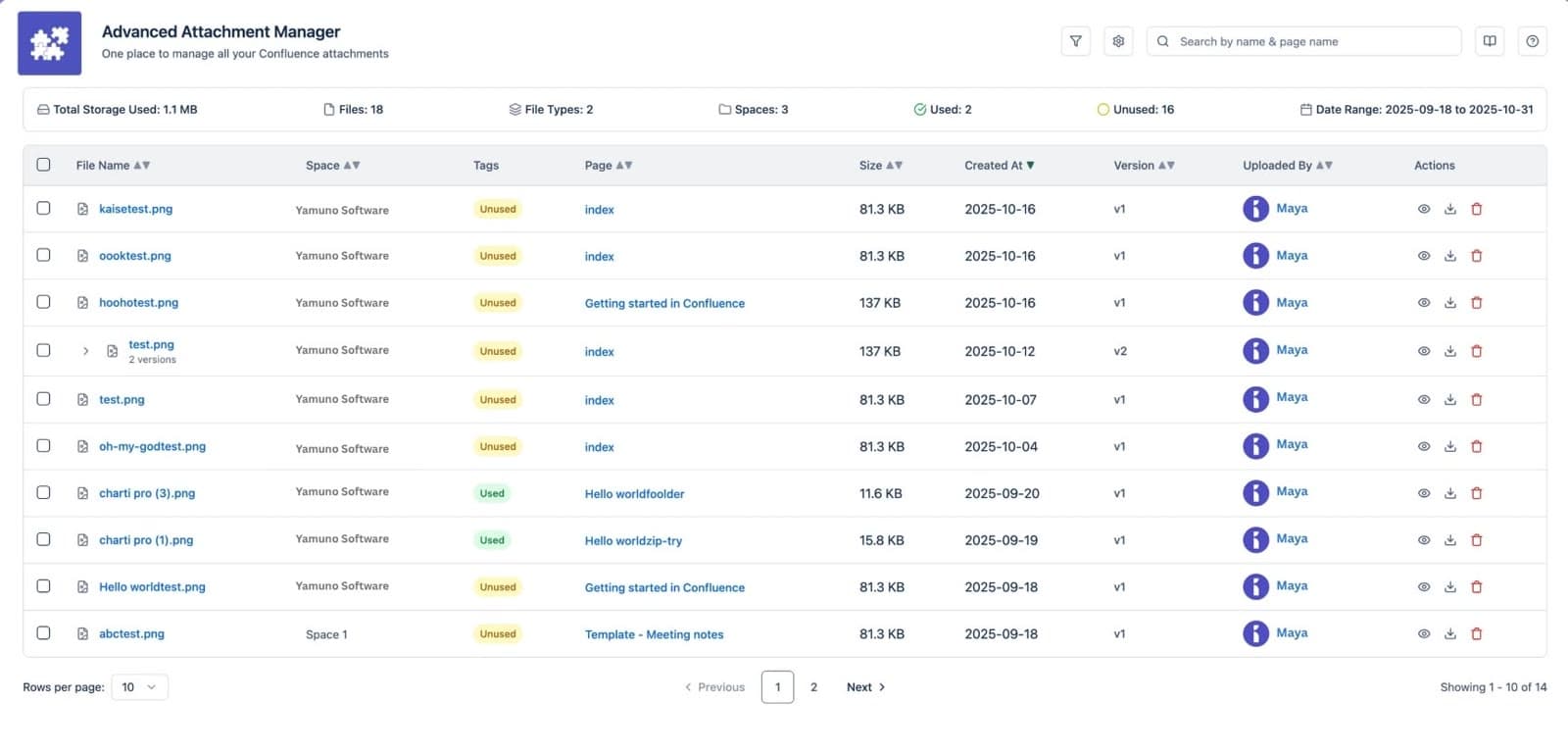
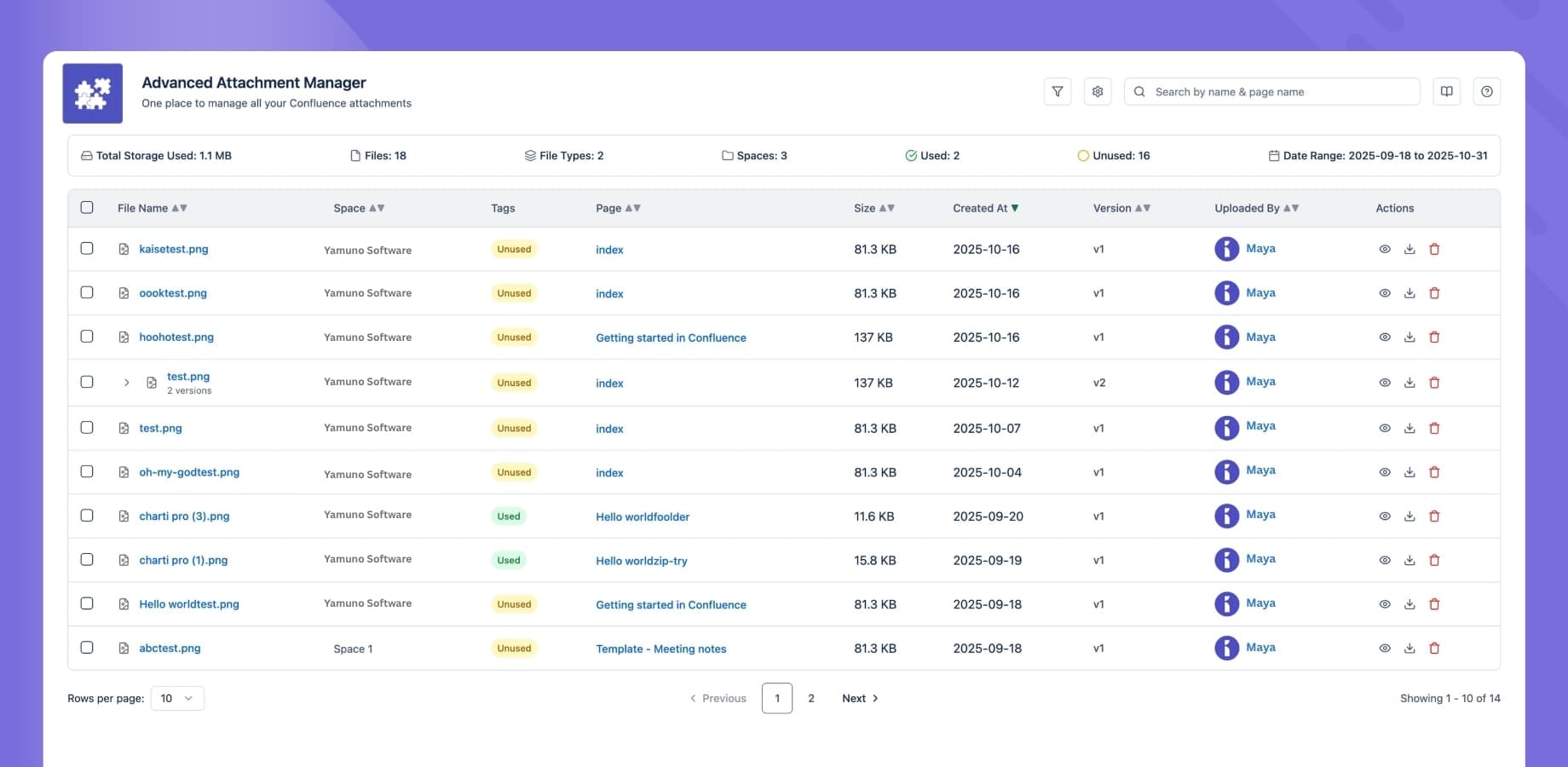
Advanced Attachment Manager lists every attachment in one dashboard. Filter by type, uploader, space, date or whether a file is still used in page content, then delete, download or export the list in bulk, with every deletion logged.
What Advanced Attachment Manager for Confluence does
Global Dashboard
View and manage all attachments across spaces in one place
Advanced Filtering
Filter by type, usage status, uploader, space, or date
Bulk Actions
Delete or download many files at once (downloads come as a ZIP), or export the list to CSV
Audit Logs
A log of attachment deletions showing who deleted what, when and where
Orphan Detection
Find attachments that are no longer used in any page content
Permission Controls
Choose whether only admins or all users can use the app
What teams build with Advanced Attachment Manager for Confluence
Storage cleanup
Find the largest and unused files and remove them in bulk.
See howAttachments at scale
Manage files across many spaces from one place.
See howDeletion audit trail
A record of every deletion, with user, time, space and page.
Attachment inventory
Export the filtered list to CSV for a review or a report.
What changes for your team
- Every attachment across your spaces in one dashboard
- Filter by type, usage, uploader, space, page or date, and sort by size
- Find attachments that are no longer used in any page content
- Bulk delete, download as a ZIP or export the list to CSV
- An audit log of who deleted what, when and from where
- Admins choose whether only admins or all users can use the app
Advanced Attachment Manager for Confluence keeps your content inside Atlassian
Read the Trust CenterRuns on Atlassian
Built on Forge, Atlassian's own app platform. Storage, authentication and permissions are Atlassian's, with no server of ours in the path.
Data residency
Your content stays in the region your Atlassian site is in and keeps the permissions you already set there.
Paperwork ready
A GDPR data processing agreement and a CAIQ Lite questionnaire are published for your security review.
DPACAIQ Lite
Advanced Attachment Manager for Confluence at a glance
| Price | Free |
|---|---|
| Hosting | Atlassian Forge, no external servers |
| Scope | All attachments across spaces |
| Filters | Type, usage, uploader, space, page and upload date |
| Sorting | Size, upload date, name or usage |
| Unused file detection | Yes; review before deleting |
| Bulk actions | Delete, download as a ZIP, export to CSV |
| Audit log | Deletions with user, time, file, space and page |
| Access | Admins only, or all users with page access |
| Upload, move or folders | No |
Questionsabout Advanced Attachment Manager for ConfluenceAsk us something else
Related apps
 Markdown Importer for Confluence CloudImport Markdown files into Confluence and export pages back to Markdown
 HTML Macro+ for ConfluenceAdd HTML, CSS, JavaScript and iframes to Confluence Cloud pages, with shared variables, components and brand tokens, live preview, version history and admin security controls.
 LaTeX Math for ConfluenceLaTeX equation and formula macros for Confluence, rendered with KaTeX
Install Advanced Attachment Manager for Confluence on your site.
It runs on Forge, so it installs from the Marketplace and your content stays inside your own instance.