

Documentation
Advanced Attachment Manager for ConfluenceBrowse
Documentation
Advanced Attachment Manager for ConfluenceBulk Actions
Advanced Attachment Manager allows you to perform actions on multiple attachments simultaneously, saving time and effort in managing your Confluence files.
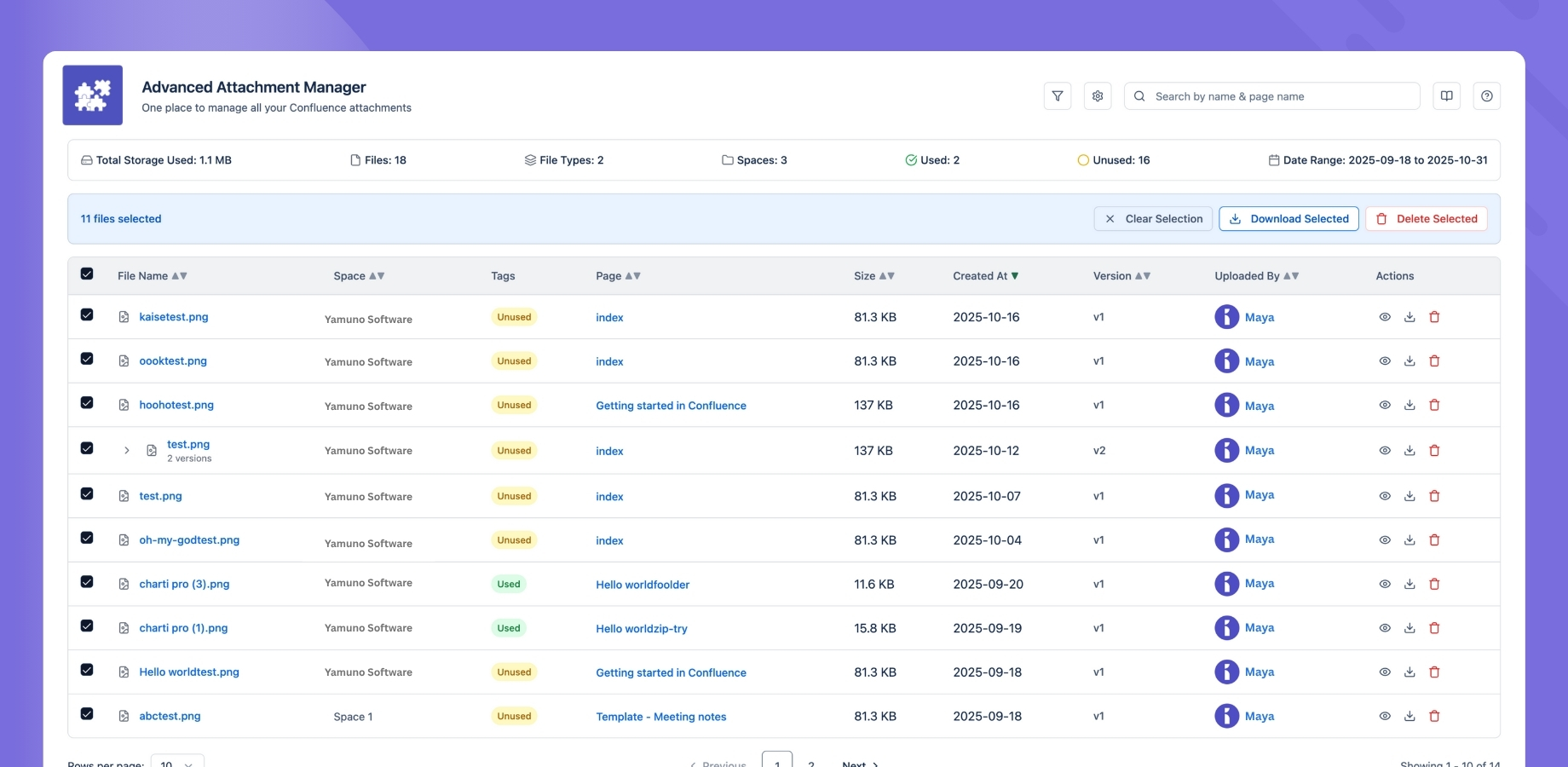
Available Bulk Actions
Bulk Delete
Remove multiple unused or outdated files:
- Select files using checkboxes
- Click "Delete Selected"
- Confirm the action
- Review results in audit log
Bulk Download
Download multiple files at once:
- Select files to download
- Click "Download Selected"
- Choose download location
- Files will be downloaded as a zip
Selecting Files
Individual Selection
- Click checkboxes next to files
- Use shift-click for ranges
- Use ctrl/cmd-click for multiple files
Filter-based Selection
- Apply filters first
- Use "Select All" for filtered results
- Deselect specific files as needed
Best Practices
- Backup First: Always backup before bulk deletions
- Verify Selection: Double-check selected files
- Start Small: Test with a small batch first
- Check Permissions: Ensure you have necessary rights
- Review Results: Check audit logs after actions
Safety Features
- Confirmation dialogs for destructive actions
- Permission checks before actions
- Audit logging of all operations
- Error handling and recovery
Tips and Tricks
- Use filters to narrow down selections
- Combine with sorting for better organization
- Export before major cleanup operations
- Review audit logs regularly
Guides for Advanced Attachment Manager for Confluence
Stuck on something this page does not cover? Ask the developers.