

Documentation
Advanced Attachment Manager for ConfluenceBrowse
Documentation
Advanced Attachment Manager for ConfluenceAdmin Configuration
Advanced Attachment Manager provides powerful configuration options for administrators to control audit logging and user access permissions.
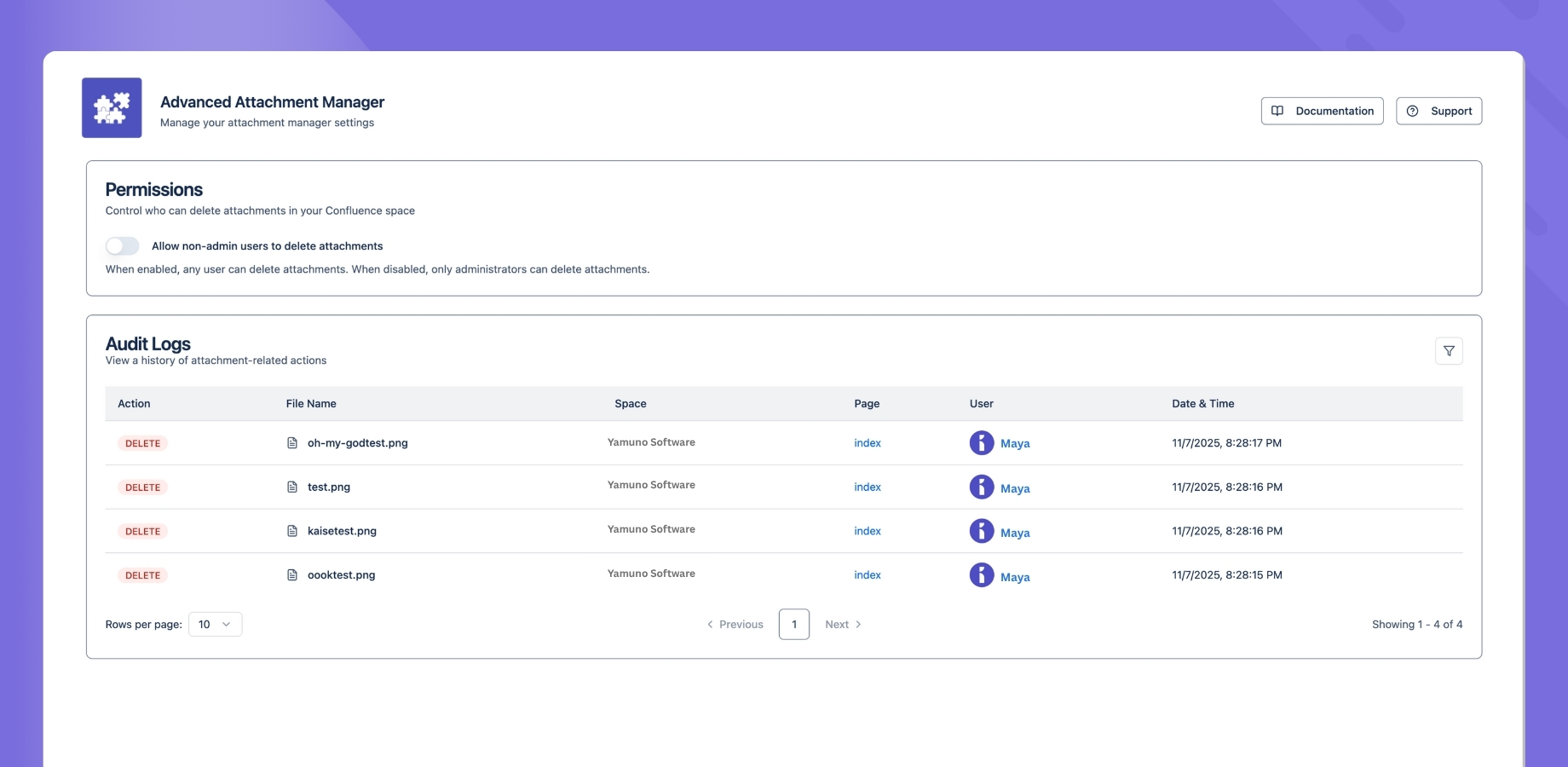
Accessing Configuration
- Go to the app's configuration page (admin only)
- Navigate to the desired section:
- Audit Logs
- User Access
User Access Configuration
Control who can use Advanced Attachment Manager:
- Find the "User Access" section
- Choose between:
- Admin Only: Only Confluence administrators can use the app
- All Users: Any user with page access can use the app
- Save your changes
This configuration helps maintain proper access control while ensuring the right users can manage attachments effectively.
Audit Logs
Advanced Attachment Manager maintains detailed audit logs of all attachment-related activities, helping you track changes and maintain accountability.
Logged Activities
File Operations
- File deletions
User Actions
- Who performed the action
- When the action occurred
- What was changed
- Where the change happened
- Action results
Viewing Logs
Basic View
- Access the audit log section
- View recent activities
- Filter by date range
- Search for specific actions
Advanced View
- Filter by user
- Filter by action type
- Filter by space
- Filter by file type
- Export log data
Log Details
Each log entry includes:
- Timestamp
- User information
- Action performed
- File details
- Space and page context
- Operation result
Log Management
- Configure retention period
- Set up automatic archiving
- Define log detail level
- Manage storage space
Security Settings
- Access control for log viewing
- Alert configuration
- Backup settings
Best Practices
- Regular Review: Check logs periodically
- Export Important: Save critical log data
- Monitor Changes: Watch for unusual activity
- Set Alerts: Configure notifications for important actions
- Archive Old Logs: Maintain historical records
- Review Access: Regularly review and update user access settings
- Document Changes: Keep track of configuration changes
Guides for Advanced Attachment Manager for Confluence
Stuck on something this page does not cover? Ask the developers.