


.png&w=64&q=75)
Backend Scripts
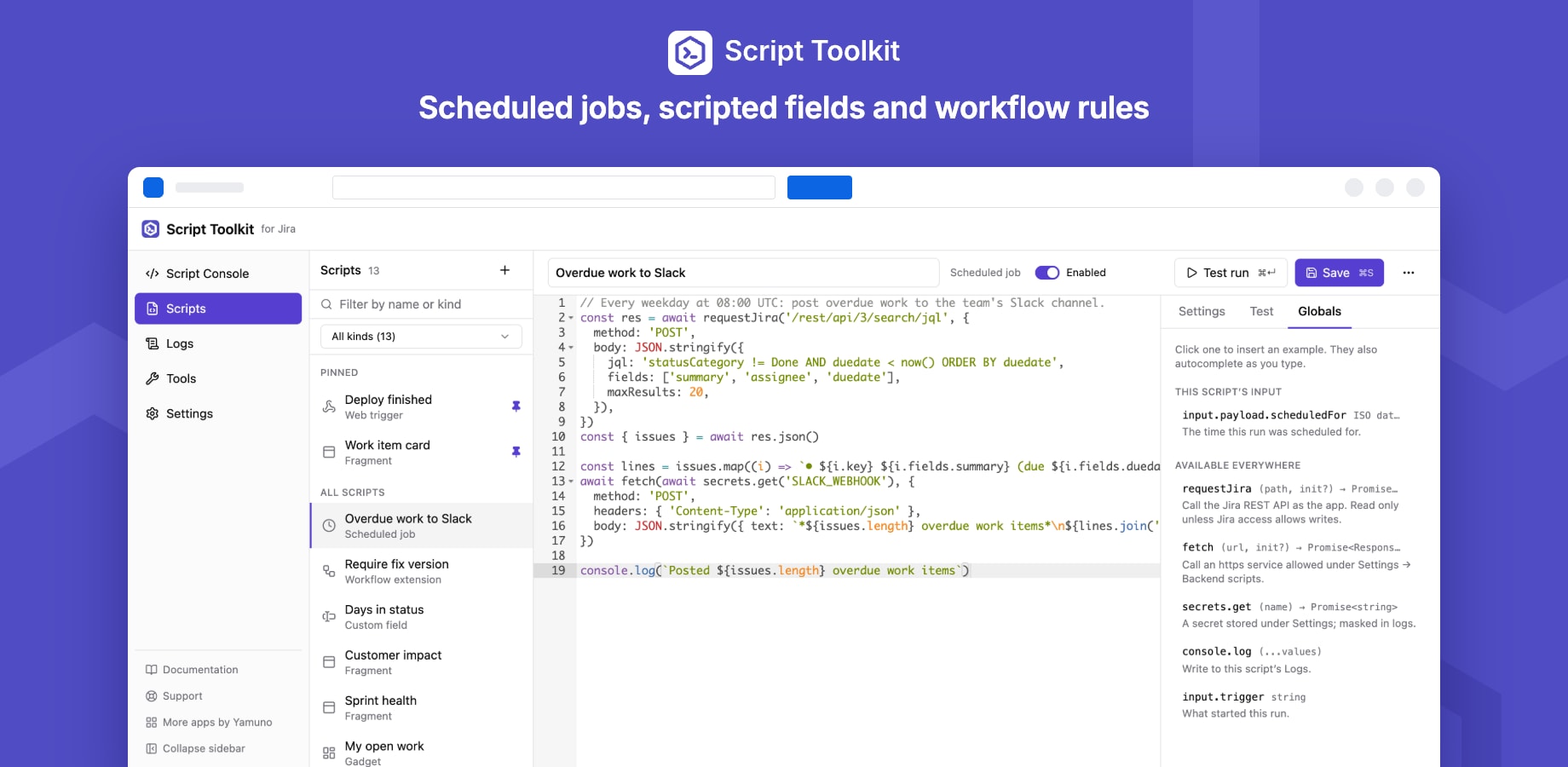
Web triggers, scheduled jobs, scripted fields and workflow extensions are backend scripts. They run on Atlassian Forge, in an isolated JavaScript sandbox inside the app, not in anyone's browser. There is no external execution service.
What a script can use
| Global | What it does |
|---|---|
input.payload |
What started the run: a web request, a schedule, a work item… See each kind's page. |
input.trigger |
Which kind of event started it |
requestJira(path, init?) |
Calls the Jira REST API as the app |
fetch(url, init?) |
Calls an outside https service, if outbound requests allow it |
secrets.get(name) |
Reads a secret stored under Settings |
console.log / info / warn / error |
Writes to the script's Logs |
return |
The result: a web trigger's response, a field's value, a validator's verdict |
Scripts are modern JavaScript with top-level await. There is no Node.js: no require, process or file system. The editor's Globals tab lists what each kind can use, and the globals autocomplete as you type.
Jira access
Backend scripts call Jira as the app, because no person is present for a schedule or a web call. So each script declares how much of Jira it needs:
- Read only (the default): any request that would change data is refused before it is sent.
- Read and write: the script may create and change work items, comments and other data.
Only Jira admins can write scripts. Keep scripts that only read on Read only: then even buggy code, or a web trigger fed hostile input, can't change Jira.
Outbound requests
Settings → Backend scripts → Outbound requests decides whom fetch may call:
| Setting | Allows |
|---|---|
| Off | No outside calls |
| Listed hosts only (recommended) | Only the hosts you add, e.g. api.github.com or *.example.com |
| Any public host | Any https host |
Calls are https only and never reach private or internal addresses, whatever the setting. A run may make up to 20 requests, each sending and receiving at most 1 MB. A refused call throws an error that names the host and where to change the setting.
Secrets
Store API keys and tokens under Settings → Secrets, then read them with await secrets.get('NAME'). A secret's value is masked in that run's logs, errors and result, and is never shown again after saving; replace it to change it. Up to 50 secrets.
Limits
| Limit | Default | Range |
|---|---|---|
| Time limit per run | 20 s | 1–300 s |
| Backend runs per day | 500 | 1–2,000 |
| Scripted field runs per day | 2,000 | 0–10,000 |
Each kind also has a maximum time, whatever the setting: scripted fields 5 s, workflow extensions and test runs 20 s, web triggers 50 s, scheduled jobs 5 minutes. A run gets whichever is lower. Daily counters reset at midnight UTC. Change the limits under Settings → Usage & limits.
Logs
Everything a script prints, and every run's result, error and duration, appears under Logs, grouped by run and filterable by script.
| Setting | Default |
|---|---|
| Log storage | 2 MB (1–10 MB) |
| Lines per run | 50 (0–200) |
| Keep logs for | 3 days (1–14) |
Logging never stops: when storage is full, or entries pass the age you set, the oldest are removed.
Test runs
The editor's Test tab runs the unsaved code once, now, without making it live: give a work item key for scripted fields and workflow extensions, or a request body for web triggers. Press Test run or ⌘↵. The result and logs appear under the editor.