


.png&w=64&q=75)
Web Triggers
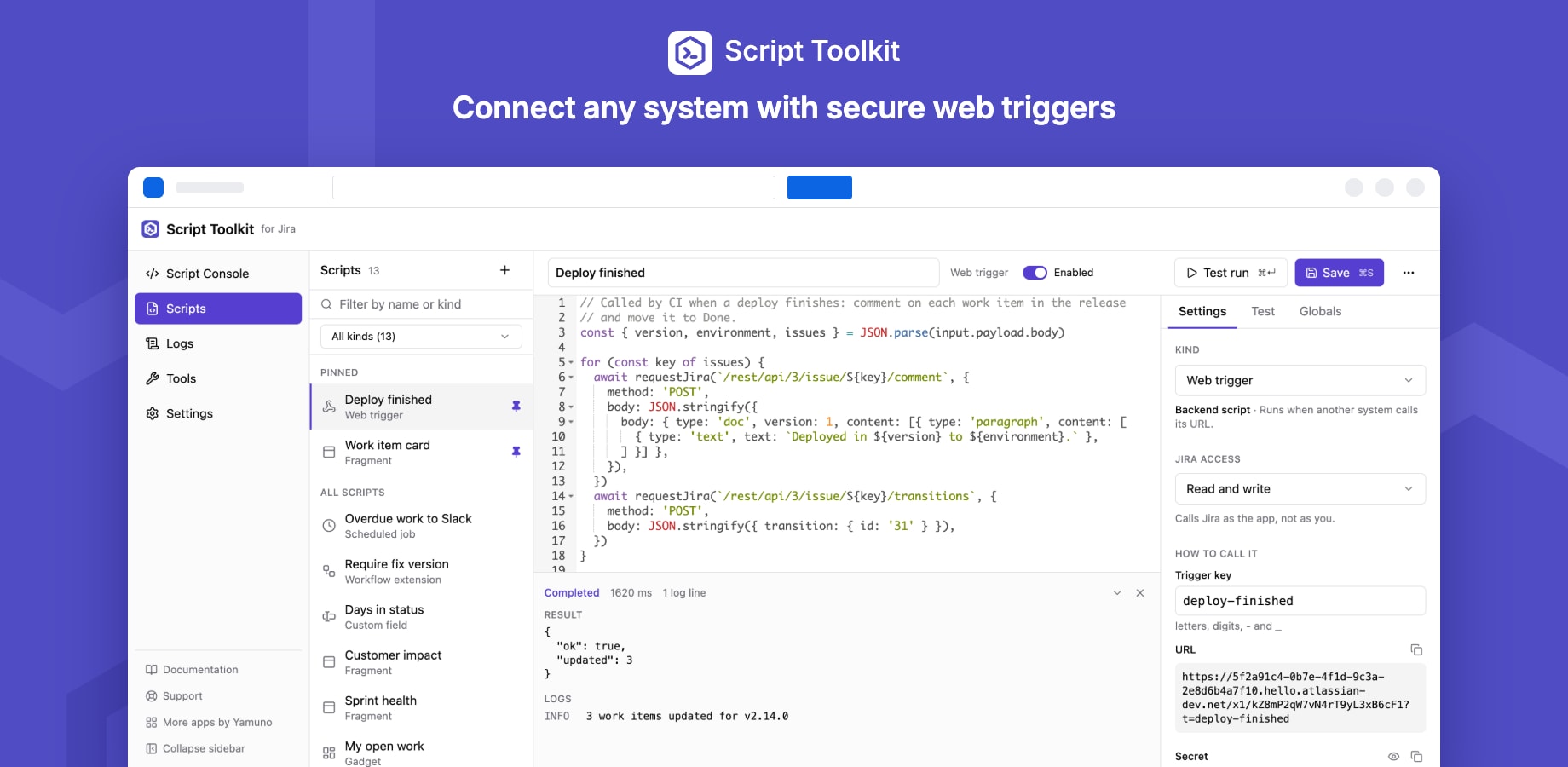
A web trigger is a backend script that runs when another system calls its URL: a CI pipeline, a monitoring alert, a form, a chat bot.
Set one up
- In Scripts, choose Web trigger and give it a trigger key (letters, digits,
-and_), e.g.deploy-finished. - Write the script and click Save. The URL and the secret appear under How to call it.
Each trigger key is unique on your site. Changing the key changes the URL.
Calling it
curl -X POST 'https://…/x1/…?t=deploy-finished' \
  -H 'X-Script-Toolkit-Secret: <secret>' \
  -H 'Content-Type: application/json' \
  -d '{"version":"1.4.2"}'
- The secret is required. Send it as the
X-Script-Toolkit-Secretheader, or asAuthorization: Bearer <secret>. A?secret=query parameter also works for senders that can't set headers, but URLs end up in logs, so prefer a header. - Without the right secret, the call gets 401, before any script runs.
- Rotate secret issues a new one; callers using the old secret get 401 from then on.
What the script receives
| Field | Value |
|---|---|
input.payload.method |
GET, POST, … |
input.payload.body |
The request body, as text (up to 256 KB). Parse JSON yourself: JSON.parse(input.payload.body) |
input.payload.query |
Query parameters, each a list: input.payload.query.page?.[0] |
input.payload.headers |
Request headers, each a list; the secret is removed |
The response
Whatever the script returns is sent back as JSON with status 200:
const body = input.payload.body ? JSON.parse(input.payload.body) : {}
await requestJira('/rest/api/3/issue/OPS-12/comment', {
  method: 'POST',
  body: JSON.stringify({ body: { type: 'doc', version: 1, content: [
    { type: 'paragraph', content: [{ type: 'text', text: `Deployed ${body.version}` }] },
  ] } }),
})
return { ok: true }
| Status | When |
|---|---|
| 200 | The script ran; its return value is the body |
| 401 | Missing or wrong secret, or an unknown trigger key |
| 413 | The body is larger than 256 KB |
| 429 | The site reached its daily execution limit |
| 500 | The script failed; the error is in Logs |
Writing to Jira, as above, needs the script's Jira access set to Read and write.
Test without calling the URL
Open the Test tab, type a request body, and press Test run (⌘↵). The unsaved code runs once with that body; no secret is needed for a test run.