

Documentation
HTML Macro+ for ConfluenceBrowse
Documentation
HTML Macro+ for ConfluenceBrand
Brand settings are design tokens that every macro and component on your site can use. Set your colours, fonts, corner shape, logo and images once, and use them in CSS as custom properties:
.button {
  color: var(--brand-primary);
}
Only Confluence admins can change brand settings, from the app's settings under Library → Brand.
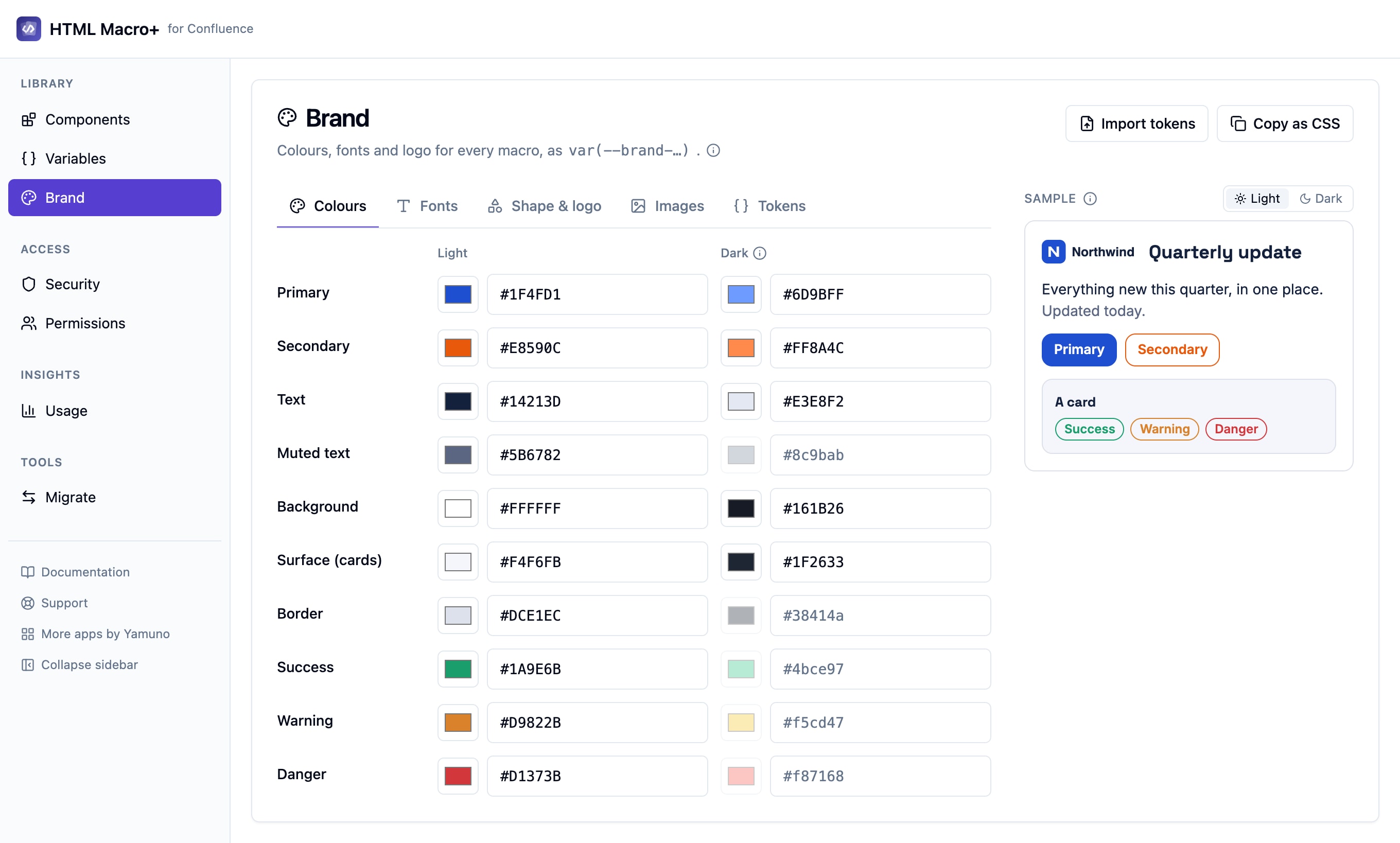
Sections
| Section | What it holds |
|---|---|
| Colours | Your brand colours |
| Fonts | The fonts your pages use |
| Shape & logo | Shape settings and your logo |
| Images | Uploaded pictures, such as logos and banners |
| Tokens | Your own design-system tokens |
Dark mode
Each token can have a separate dark mode value. Macros then use the right value for the reader's Confluence theme. See Supporting Dark Mode for how macros follow the theme.
Fonts
Add a font in either of two ways:
- Google Fonts: enter the family name and the weights you need.
- Font stylesheet: add a link to a stylesheet that loads the font.
A font only loads on pages whose code uses that font's token, so adding fonts doesn't slow down pages that don't use them.
Tokens
The Tokens section holds your own design-system tokens, alongside the built-in brand settings.
- Import tokens: paste CSS custom properties or a tokens JSON file to add many tokens at once.
- Copy as CSS: copy all your tokens as CSS custom properties, for example to use in another tool.
You can have up to 500 tokens.
Images
Upload pictures, such as your logo, and use them in any macro without hosting them anywhere else.
Uploading
- Formats: PNG, JPEG, WebP, GIF or SVG
- File size: up to 5 MB
- Up to 20 images
Each image is shrunk in your browser to at most 150 KB before it is stored. A picture that is already small enough is kept exactly as uploaded, so an animated GIF stays animated. SVG files are always stored as PNG.
Names
An image name starts with a letter, followed by letters, digits or _. Hyphens are not allowed, so use logoDark or logo_dark rather than logo-dark.
Using an image
In HTML:
<img src="{{brand.logo}}" alt="Company logo">
In CSS:
.hero {
  background-image: url({{brand.logo}});
}
Pages download each picture once per browser and reuse it. Replacing an image updates every page that uses it on its next view.
Dark mode images
Images don't have a separate dark mode version. Upload a second image, for example logoDark, and switch between the two in your CSS.
Related
Guides for HTML Macro+ for Confluence
Stuck on something this page does not cover? Ask the developers.