

Documentation
Word Exporter for ConfluenceBrowse
Documentation
Word Exporter for ConfluenceWord Exporter REST API
Start exports from outside Confluence: a release pipeline, a nightly script, a workflow tool. Send one HTTP request with an API token, and Word Exporter exports a page, a page tree or a whole space in the background. The result lands in My exports, and can be attached to a Confluence page with people @mentioned (and emailed) when it's done.
Key Features
- One endpoint, one request: POST JSON naming the page or space to export
- Templates and output: any saved template; one merged Word document or a ZIP of separate Word files
- Delivery in Confluence: attach the file to a page, and @mention people there so Confluence emails them
- Safe retries: send a
requestIdand a repeated request starts nothing - Runs on Atlassian: responses are fixed messages and no data is sent out of Atlassian
Because responses carry no data, a request tells you whether the export started, not where the file is. You find the result in My exports, on the page you attached it to, in the mention email, or in the token's Recent calls.
Prerequisites
- Word Exporter for Confluence installed on your site
- Confluence site admin access, to create API tokens
Step 1: Create an API Token
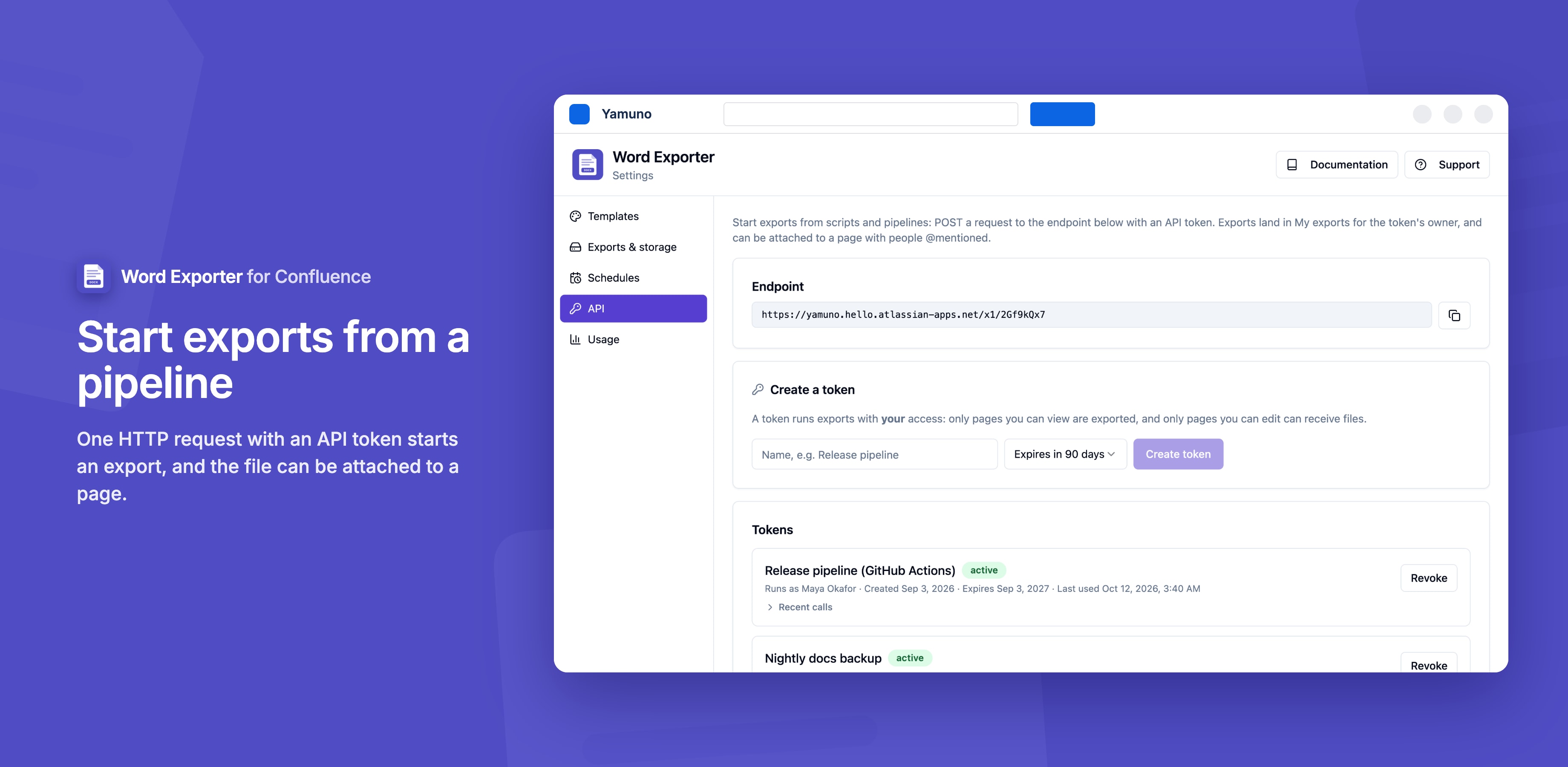
- Go to Confluence Settings → Word Exporter → API
- Under Create a token, enter a name (for example
release-pipeline) and choose when it expires: 30 days, 90 days, 180 days or 1 year - Click Create token
- Copy the token now. It's shown only once.
Tokens look like wordx.<id>.<secret>. Store them like passwords, for example as a secret in your CI system.
A token acts as the admin who created it. Exports only include pages that person can view, and files can only be attached to pages they can edit.
Step 2: Copy the Endpoint
The endpoint URL is shown at the top of the API page. It's specific to your site.
Step 3: Send a Request
curl -X POST 'YOUR_ENDPOINT_URL' \
  -H 'Authorization: Bearer YOUR_TOKEN' \
  -H 'Content-Type: application/json' \
  -d '{"pageId": "123456", "name": "Release notes"}'
A 202 response with "status": "accepted" means the export started. A minute or two later, Release notes 2026-11-05.docx appears in the token owner's My exports.
Next: the API reference for every field and response, and examples for common jobs.
Managing Tokens
The API page lists every token with who it runs as, when it was created, when it expires and when it was last used.
- Revoke a token to stop it working immediately
- Delete a revoked or expired token to remove it and its call log
- Recent calls shows the last 25 requests made with a token: when, the outcome (
accepted,started,done, or the reason it was rejected or failed) and details
Only a fingerprint (hash) of each token is stored, never the token itself, so a lost token can't be shown again. Create a new one and revoke the old one.
Limits
| Limit | Value |
|---|---|
| Exports per token | 30 per hour |
| Request body | 16 KB |
| Pages in one merged Word document | 500 |
| People to mention | 10 per request |
API exports wait in the same line as other background exports, which run one at a time per site. See Background Exports.
Stuck on something this page does not cover? Ask the developers.