

Documentation
Word Exporter for ConfluenceBrowse
Documentation
Word Exporter for ConfluenceThe Word Document
Word Exporter builds a normal, editable Word document (.docx). You can change the text, restyle headings, update the contents and keep working on it in Word like any document you wrote yourself.
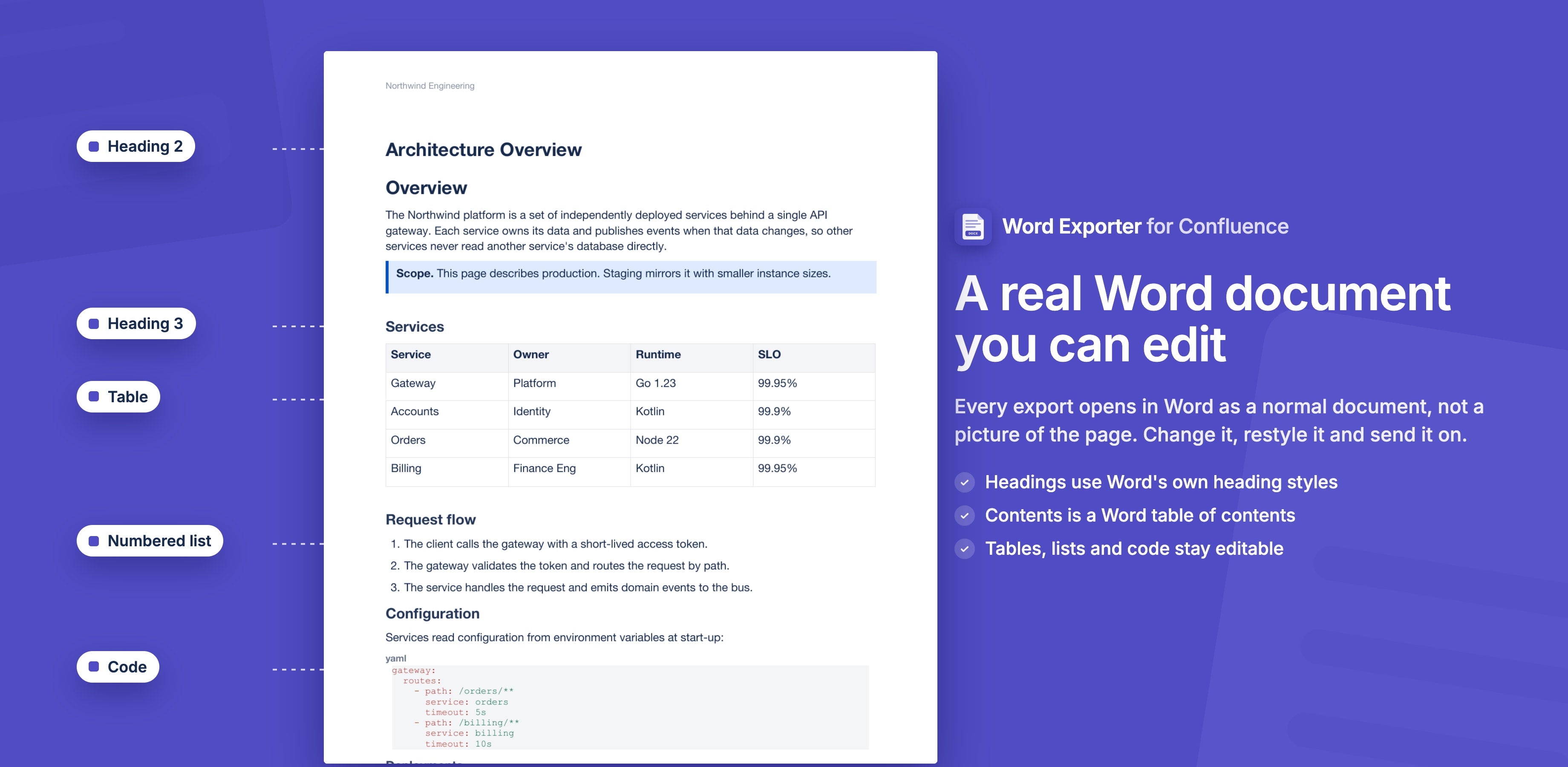
How Confluence Content Comes Through
| In Confluence | In the Word document |
|---|---|
| Headings | Word's own heading styles: Heading 1, Heading 2, Heading 3 and so on |
| Bullet and numbered lists | Word lists with Word numbering |
| Tables | Word tables |
| Code blocks | Shaded paragraphs in Consolas |
| Images | Pictures embedded in the document |
| Math formulas (LaTeX and MathJax macros) | Pictures (SVG, with a PNG fallback). They are not editable equations |
Because headings use Word's heading styles, they show up in Word's Navigation Pane, and changing the Heading 1 style changes every Heading 1 in the document.
Page Trees in One Document
In One merged Word document, every page keeps its place in the page tree: child pages are nested one heading level below their parent. The table of contents follows the same structure, and page numbers are continuous across the whole document.
Fields: Table of Contents and Page Numbers
The contents page is a real Word table of contents field (TOC), and page numbers are Word page fields. Word fills them in when it opens the file.
- Word may ask: "This document contains fields that may refer to other files. Update the fields?" Choose Yes and the contents lists your pages with their page numbers.
- After editing the document, right-click the table of contents and choose Update Field to refresh it.
- In other apps, such as Google Docs or Pages, the table of contents can look empty at first. Right-click it and update the table of contents.
See Table of Contents.
Watermark
The template's watermark is Word's own watermark, the same one you get from Design → Watermark in Word. It sits behind the text on every page. The template sets its text, opacity and colour.
To remove it from a downloaded document, go to Design → Watermark → Remove Watermark in Word.
Opening the File Elsewhere
The .docx opens in Microsoft Word, and in other apps that read Word files, such as Google Docs and Pages. Fields like the table of contents are filled in by the app that opens the file, so update them there if they look empty.
Stuck on something this page does not cover? Ask the developers.