
.png&w=96&q=75)
Documentation
PDF Exporter for ConfluenceBrowse
Documentation
PDF Exporter for ConfluenceConfiguration
Admins configure PDF Exporter from the dedicated settings panel in Confluence administration.
Accessing Configuration
- Go to Confluence Settings (gear icon in the top-right)
- In the left sidebar, scroll to PDF Exporter under the Apps section
- The PDF Exporter settings panel opens
Admin or site admin permissions are required to access this panel.
If the site hasn't approved the latest app update yet, an Update required notice at the top of the panel says what it turns on and links to Manage apps. See Approve the Latest Update.
Settings Overview
The settings page has a sidebar with these sections. The open section is part of the page address, so a refresh or a shared link opens the same section. Go to exporter in the sidebar opens the exporter itself.
Getting Started
Shown on first access, this view provides an overview of the app's capabilities and a quick-start guide for admins who are setting up the app for the first time.
Templates
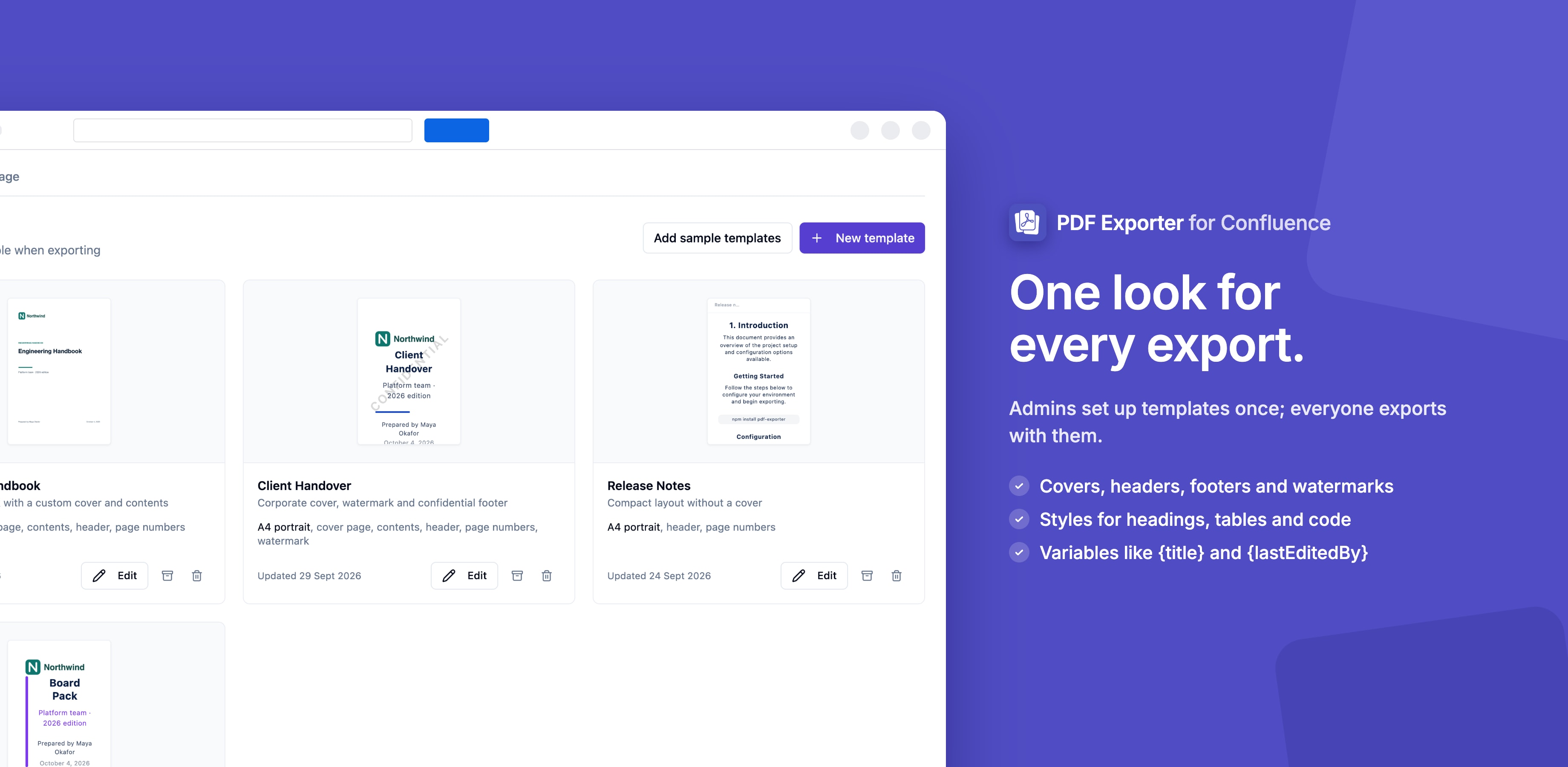
The primary configuration interface. From here, admins can:
- View all active and archived templates
- Create new custom templates
- Edit existing templates
- Archive templates to hide them from users without deleting
- Restore archived templates
- Delete templates permanently
Exports & storage
Background exports are stored for a while so users can download them later. See how much storage the site uses and how many of the site's 10,000 monthly server pages are used, set how long exports are kept (1 to 90 days) and the site's storage limit, and delete any export.
→ Background Exports & My Exports
Schedules
Every scheduled export on the site, with its owner, status, last run and next run. Pause, resume or delete any schedule.
API
The REST API endpoint, API tokens (create, revoke, delete), each token's recent calls, and how to call it.
→ REST API
Usage
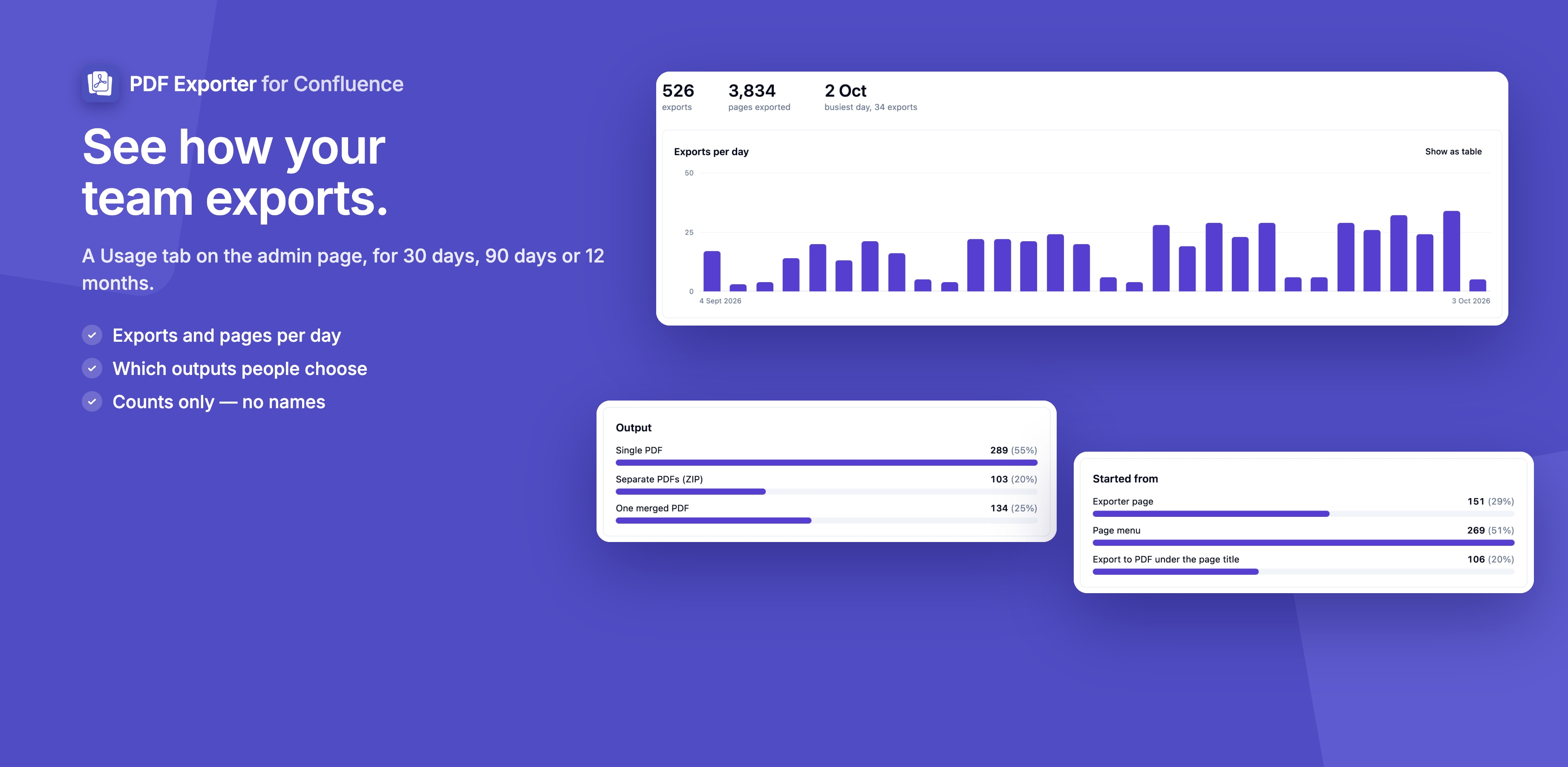
The Usage section shows how your site uses PDF Exporter: exports and pages per day over 30 days, 90 days or 12 months, the outputs people choose (single PDF, merged PDF or ZIP) and where exports start. Only counts are kept — no user or page names.
Page Setup Options
Each template configures the physical layout of the PDF:
Headers & Footers
Configure what appears at the top and bottom of every page in the export:
Pricing & Permissions
The app is free. Who can export and who can manage templates:
Guides for PDF Exporter for Confluence
Stuck on something this page does not cover? Ask the developers.