

Documentation
Markdown Exporter for ConfluenceBrowse
Documentation
Markdown Exporter for ConfluenceExport API
Start a Markdown export from outside Confluence, such as a CI pipeline, a nightly script or a workflow tool. Send one HTTP request with an API token, and Markdown Exporter exports a page, a page tree or a whole space in the background. The result lands in the token owner's My exports, and can be attached to a Confluence page with people @mentioned there.
This is separate from the REST API, which uses OAuth 2.0 (3LO) and returns the Markdown in the response. The Export API needs no OAuth app: an admin creates a token and you send it in a header.
Because responses are fixed messages and carry no data, a request tells you whether the export started, not where the file is. You find the result in My exports, on the page you attached it to, or in the token's call log.
Step 1: Create an API Token
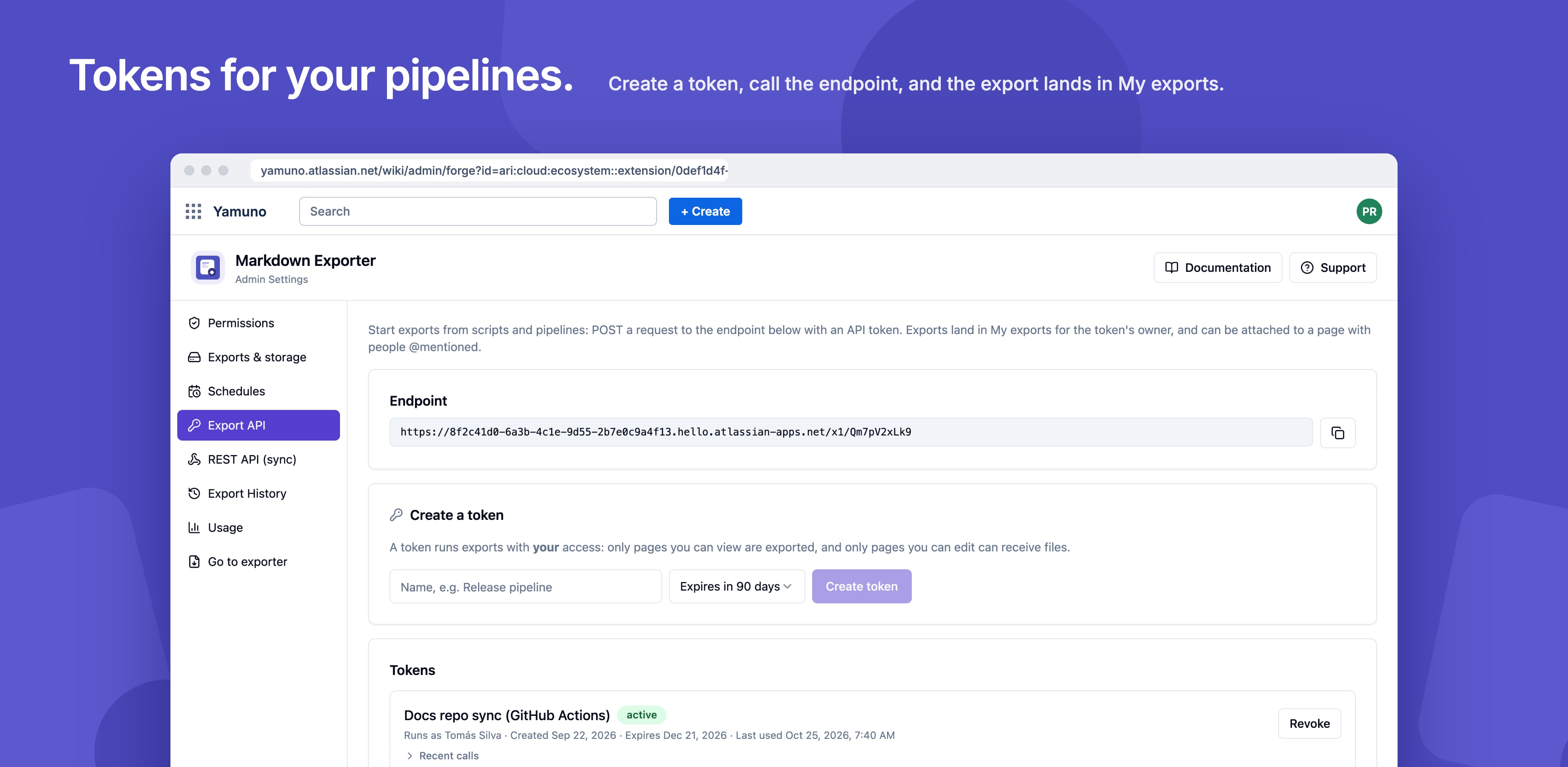
- Go to Confluence Settings → Markdown Exporter → Export API
- Enter a name (for example
docs-sync) and choose when it expires: 30 days, 90 days, 180 days or 1 year - Create the token and copy it now; it's shown only once
Tokens look like mdx.xxxx.xxxx. Store them like passwords, for example as a secret in your CI system.
A token acts as the person who created it. Exports only include pages that person can view, and files can only be attached to pages they can edit.
Step 2: Copy the Endpoint
The endpoint URL is shown on the Export API page. It's specific to your site.
Step 3: Send a Request
curl -X POST 'YOUR_ENDPOINT_URL' \
  -H 'Authorization: Bearer YOUR_TOKEN' \
  -H 'Content-Type: application/json' \
  -d '{"pageId": "123456", "name": "Engineering docs"}'
A 202 response with "status": "accepted" means the export started.
Request Fields
Send either pageId or spaceId, not both. Every other field is optional; options you leave out use the exporter's defaults.
| Field | Type | What it does |
|---|---|---|
pageId |
string | Numeric ID of the page to export |
spaceId |
string | Numeric ID of the space to export |
includeChildren |
boolean | Export the page's descendants too. Default true |
output |
"zip" or "md" |
A ZIP of .md files, or one Markdown file. Default "zip" |
name |
string | Used in the file name (1 to 100 characters). Default Markdown export |
attachments |
boolean | Include attachments (ZIP only) |
frontMatter |
boolean | Add YAML front matter |
obsidian |
boolean | Write links between pages as [[wikilinks]] |
macroStyle |
"callout", "blockquote" or "plain" |
How panels are written |
filenamePattern |
string | For example {title}-{date}; must include {title} or {id} |
attachTo |
string | Numeric ID of a page to attach the file to |
mention |
array | Up to 10 Atlassian account IDs to @mention on the attachTo page |
requestId |
string | Up to 128 characters. A repeated requestId starts nothing, so retries are safe |
The body can be up to 16 KB.
Responses
| Status | status |
Meaning |
|---|---|---|
| 202 | accepted |
The export started |
| 400 | invalid-json, invalid-request, missing-scope, mention-needs-page |
The body is not valid; the token's call log says which field |
| 401 | unauthorized, token-expired |
Missing, invalid, expired or revoked token |
| 403 | no-edit-access, owner-inactive |
The token owner can't edit the attachTo page, or is no longer active |
| 404 | not-found |
The page or space doesn't exist, or the token owner can't view it |
| 405 | method-not-allowed |
Use POST |
| 409 | duplicate |
This requestId was already used |
| 413 | payload-too-large |
The body is larger than 16 KB |
| 429 | rate-limited |
More than 30 exports this hour for this token |
| 500 | internal-error |
Unexpected error; the call log has details |
Managing Tokens
The Export API settings page lists each token with its expiry date and its recent calls, so you can see why a request was refused. Revoke a token there when you no longer need it.
Export API runs wait in the same line as other background exports and count toward the site's monthly background-export allowance.
Guides for Markdown Exporter for Confluence
Stuck on something this page does not cover? Ask the developers.