

Documentation
Markdown Exporter for ConfluenceBrowse
Documentation
Markdown Exporter for ConfluenceBackground Exports & My Exports
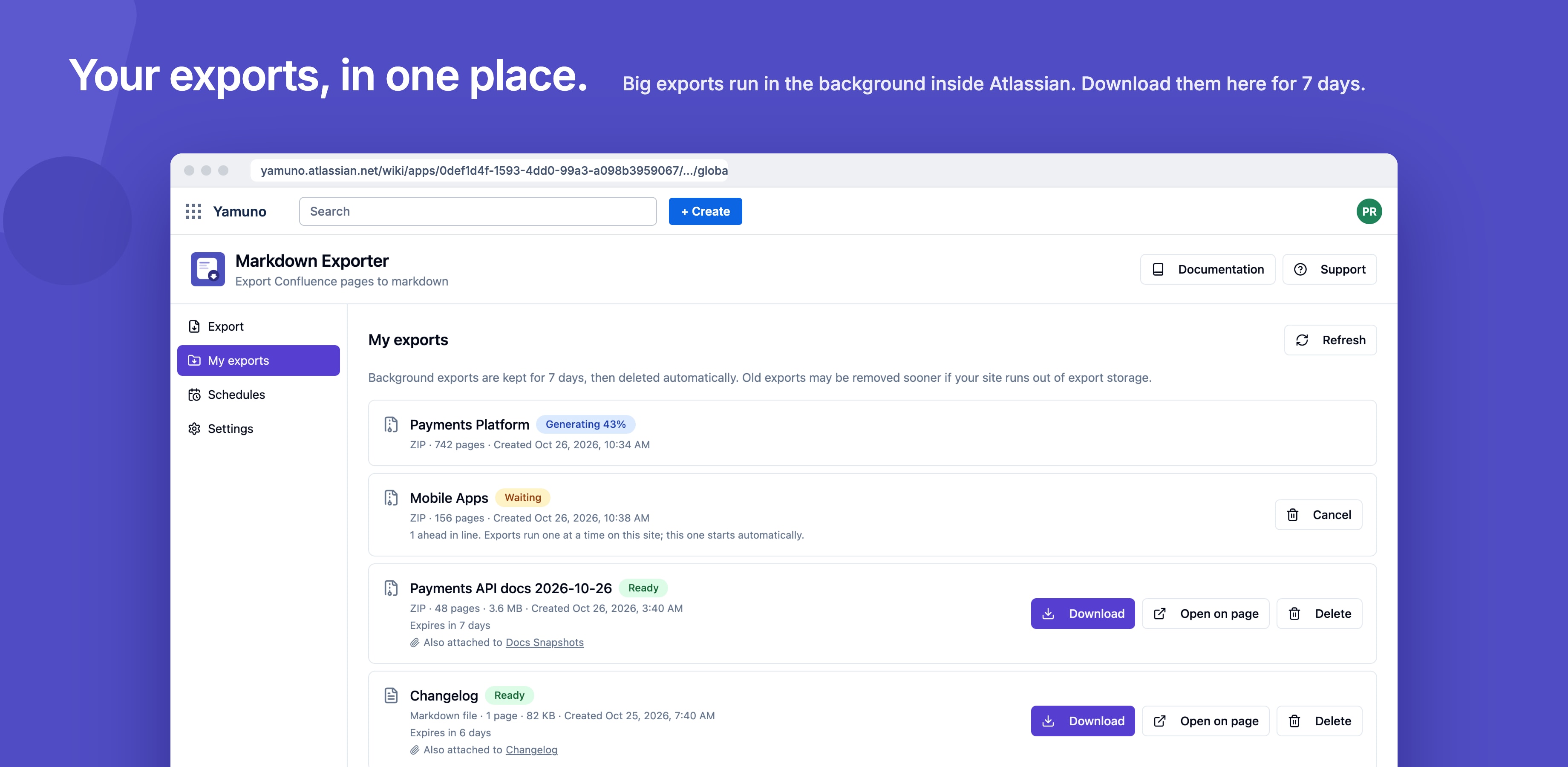
Small exports are built right in your browser. Large ones, such as a whole space with hundreds of pages, run in the background inside Atlassian instead. You can close the page while they run and download the ZIP or .md file later from My exports.
Nothing leaves Atlassian: background exports run on Atlassian Forge and the files are kept in Atlassian's own storage. The app makes no calls outside Atlassian.
Where an Export Is Generated
The Where to generate option in the exporter decides where the Markdown is built:
| Option | What happens |
|---|---|
| Auto (recommended) | Small exports are built in your browser; large ones run in the background. The exporter shows which it picked and why. |
| This browser | Always build in your browser. Keep the tab open until it finishes. |
| In the background | Always run in the background inside Atlassian. You can leave the page; the file appears in My exports. |
With Auto, an export runs in the background when it has more than 100 pages, more than 100 attachments, or more than 100 MB of attachments.
Browser and background exports use the same conversion, so the ZIP layout, front matter and links between pages come out the same either way.
Output: ZIP or One Markdown File
The Output option sets what you download:
- ZIP (folder of .md files): one
.mdfile per page, in folders that mirror the page tree, with attachments if you include them. Links between exported pages become relative.mdpaths. - Single .md file: every selected page in one Markdown file. Attachments are not included in this mode.
Following a Background Export
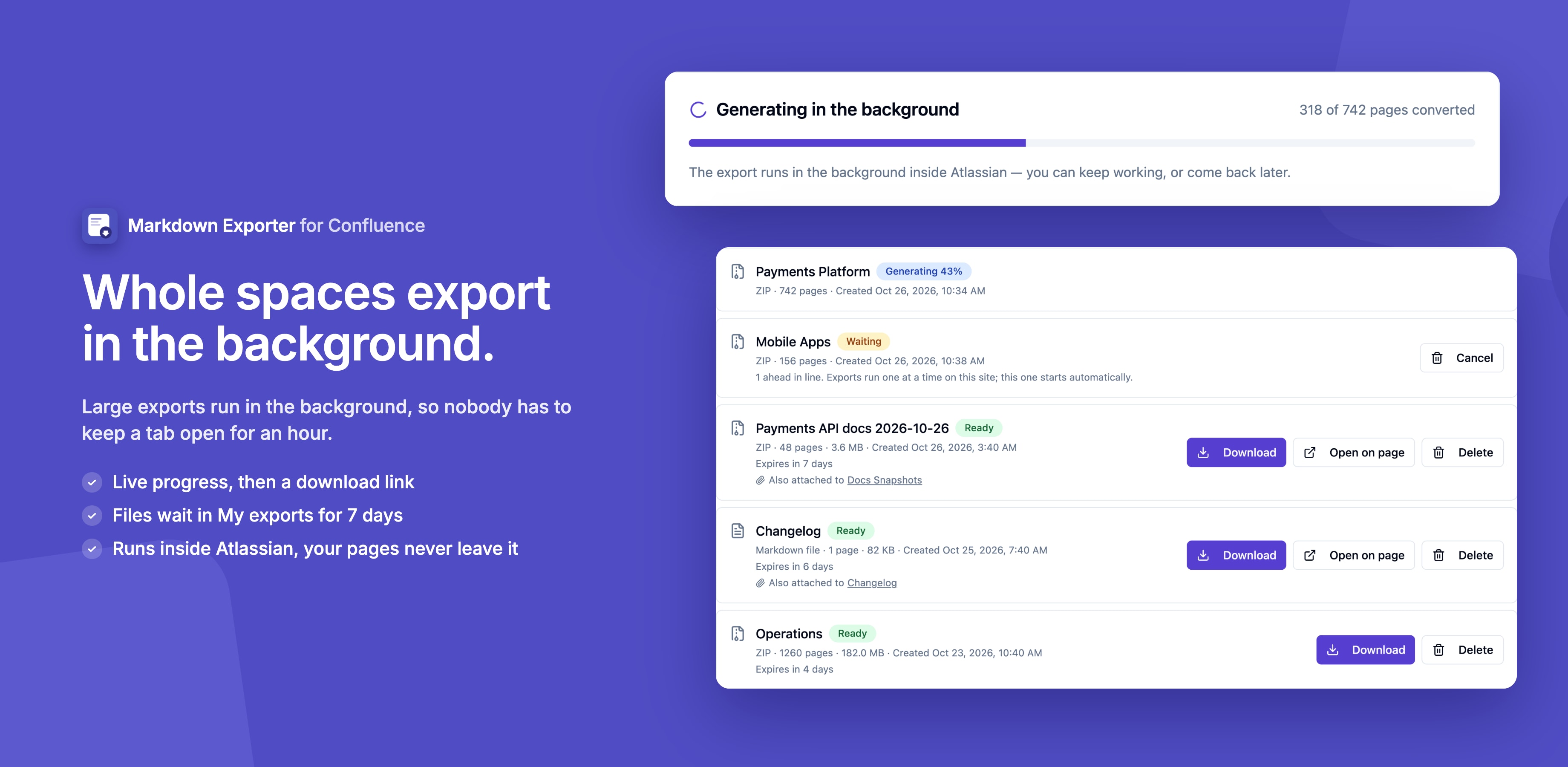
When you click Export, a card shows the export's progress and updates live. When it's done, download the file straight from the card, or close the exporter and find the file later in My exports.
One Export at a Time
Background exports run one at a time per site. When another export is already running, yours waits in line and starts by itself when the ones ahead of it finish. You can cancel it while it waits.
Scheduled runs and Export API requests wait in the same line. You can have up to 3 exports from the exporter waiting or running at once; schedules and Export API runs don't count toward that.
Monthly Allowance
Each site can export 10,000 pages a month in the background. Exports built in your browser don't count. The allowance resets on the first day of each month (UTC).
When an export would go over it, the app says how many background-export pages are left and when they reset. You can still export in your browser by setting Where to generate to This browser.
My Exports
Open My exports from the sidebar on the Markdown Exporter page (Apps → Markdown Exporter). It lists your background exports, including runs of your scheduled exports and exports started through the Export API.
For each export you can:
- Download the file. Very large ZIP exports are split into several parts.
- Open on page, when the export was also attached to a Confluence page
- Cancel an export that is still waiting in line
- Delete it
Exports are kept for 7 days by default, then deleted automatically. Your admin can change this. Old exports may also be removed early when the site reaches its export storage limit; My exports says when that happened.
Limits
- A background export from the exporter can include up to 2,000 pages
- Attachments larger than 50 MB are skipped in background exports
For Admins: Exports & Storage
Site admins manage background exports in Confluence Settings → Markdown Exporter → Exports & storage:
- See how much export storage the site uses, and every user's exports
- See Background exports this month: pages used against the monthly allowance, and when it resets
- Set Keep exports for (1 to 90 days, 7 by default) and the Storage limit for this site (1 GB by default). When the storage is full, the oldest exports are removed first.
- Delete any export
Expired exports are cleaned up once a day. See Admin Settings for everything on the settings page.
Guides for Markdown Exporter for Confluence
Stuck on something this page does not cover? Ask the developers.