

Documentation
Issue Templates & Recurring Tasks for JiraBrowse
Documentation
Issue Templates & Recurring Tasks for JiraCreating Work
Besides auto-apply, there are three ways to use a template. These add child items and ask questions, which Jira's Create dialog can't.
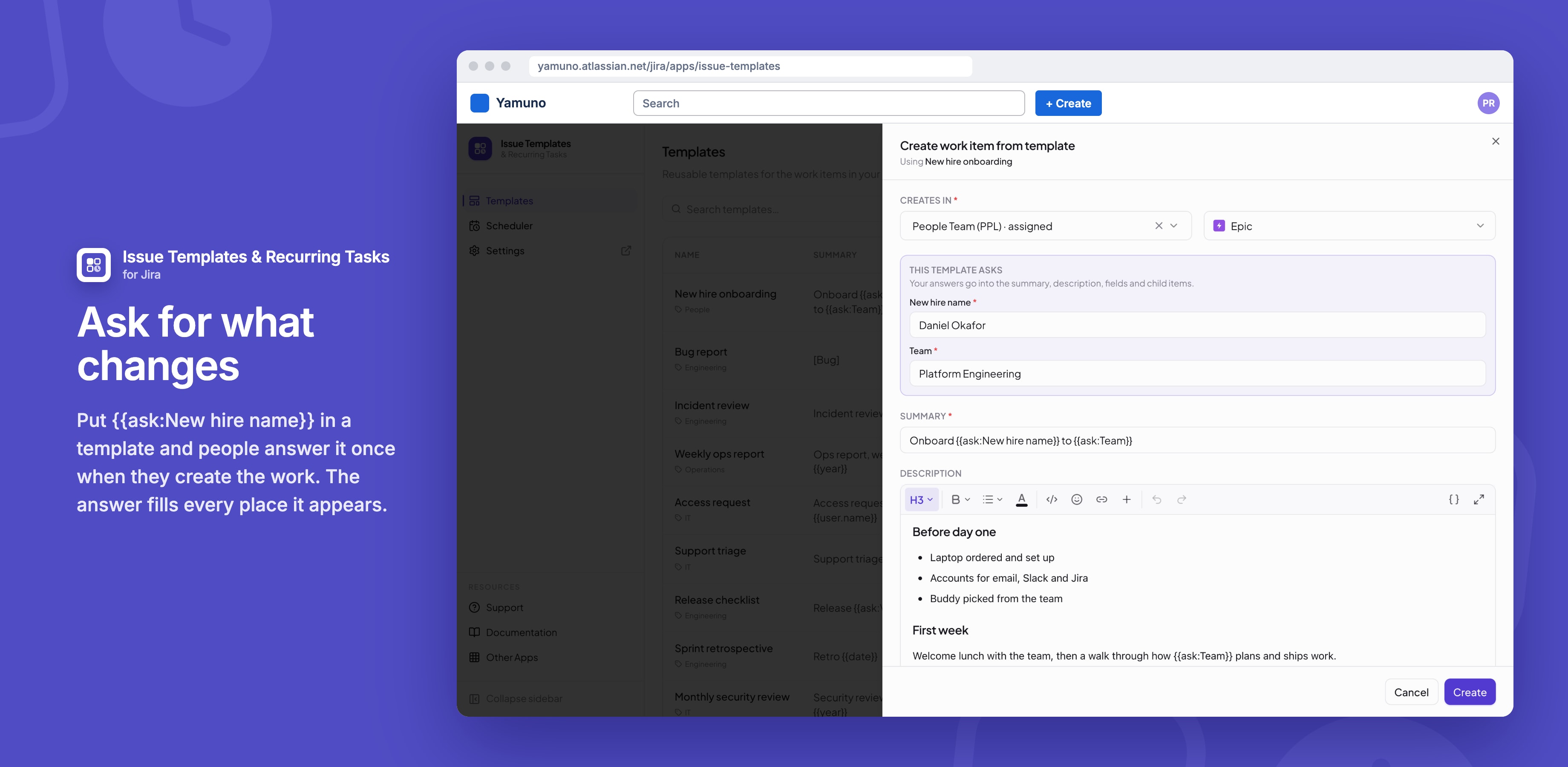
Create work item from template
- In the templates list, open a template's ••• menu and choose Create work item from template.
- Under Creates in, choose a space and work type. The template's own spaces are listed first.
- Answer any questions, and change the summary, description or fields if you want.
- Check the Child items it will add, and click Create.
A message links to the new work item and says how many child items were added.
Apply template to a work item
- Open a work item and choose ••• → Apply template.
- Find the template. Ones assigned to this work type come first.
- Open its preview to see what it will write, then apply it.
Applying overwrites the fields the template sets, and adds its child items under the work item.
Save as new template
- Open a work item written the way you like and choose ••• → Save as new template.
- Untick anything that belongs only to that work item.
- Name the template and save it.
Formatting is kept, and anything that can't be carried over, such as attachments, is named in the sheet. The new template has no assignments yet.
Good to know
- If a space refuses one of the template's optional fields, the work item is created without it and the message names the field.
Related
Stuck on something this page does not cover? Ask the developers.