


.png&w=64&q=75)
Migration Guide
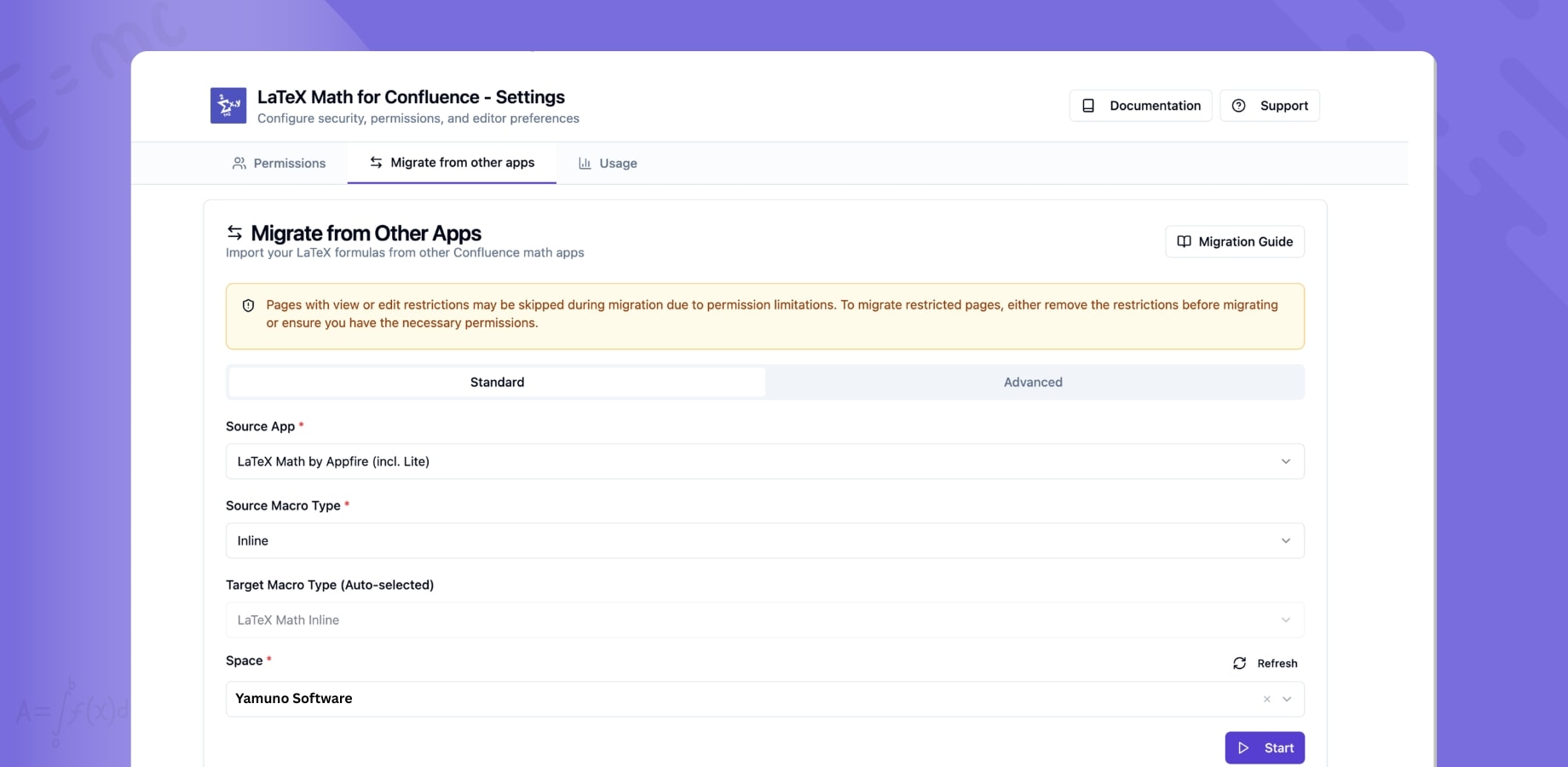
Migrate LaTeX equations from other Confluence math apps to LaTeX Math for Confluence automatically — no manual copy-paste required.
Overview
LaTeX Math for Confluence includes a built-in migration tool that finds, converts, and replaces equations from other LaTeX math apps across your entire Confluence instance. It handles the different macro formats each app uses, preserves alignment and equation type (inline vs. block), and records every change in page version history.
Supported Source Apps
The following apps are supported out of the box:
- LaTeX and MathJax by The Plugin People
- LaTeX Math by Appfire
- LaTeX Math Lite by Appfire
- LaTeX Math (Easy Math) by Narva Software
Migrating from an app not on this list? Use the Advanced tab to enter any macro name manually.
How to Migrate
Step 1: Open Migration Settings
Go to Confluence Admin → Manage Apps → LaTeX Math for Confluence → Configure, then navigate to the "Migrate from other apps" tab.
Step 2: Choose Your Source App
Select the app you're migrating from. If your app isn't listed, switch to the Advanced tab and enter the macro name directly.
Step 3: Search Your Spaces
Choose a specific Confluence space to scan, or search across your entire instance. Results show the page title, space, and last modified date so you know exactly what will be affected.
Step 4: Select Pages and Migrate
Select the pages you want to migrate and run the migration. The tool will:
- Extract the LaTeX formula from the old macro format
- Convert it to LaTeX Math for Confluence format
- Preserve alignment settings (left, center, right)
- Map inline equations to inline macros and block equations to block macros
- Update the page with proper version tracking for a clear audit trail
What the Tool Handles
Different apps store LaTeX in different ways — XML parameters, rich text bodies, ADF extensions, CDATA sections, plain parameters. The migration engine understands all of these formats and extracts your LaTeX cleanly regardless of how the source app stored it.
Safety and Rollback
Migration does not delete your original content. Every migrated page is updated with a new version, so you can roll back to the pre-migration state at any time via Confluence's version history. The tool also reports success and failure counts after each batch so you know immediately if anything needs attention.
Scale
The tool handles pagination and batch processing, making it suitable for instances with thousands of pages. It works through your content methodically without overwhelming the Confluence API.
Advanced Mode
For power users and admins dealing with custom or less common apps:
- Enter any macro name to search for
- Filter by body content
- Target specific spaces
- Handle edge cases not covered by the standard wizard
Last Updated: February 2026