

Documentation
Mermaid Diagram for ConfluenceBrowse
Documentation
Mermaid Diagram for ConfluenceFeatures
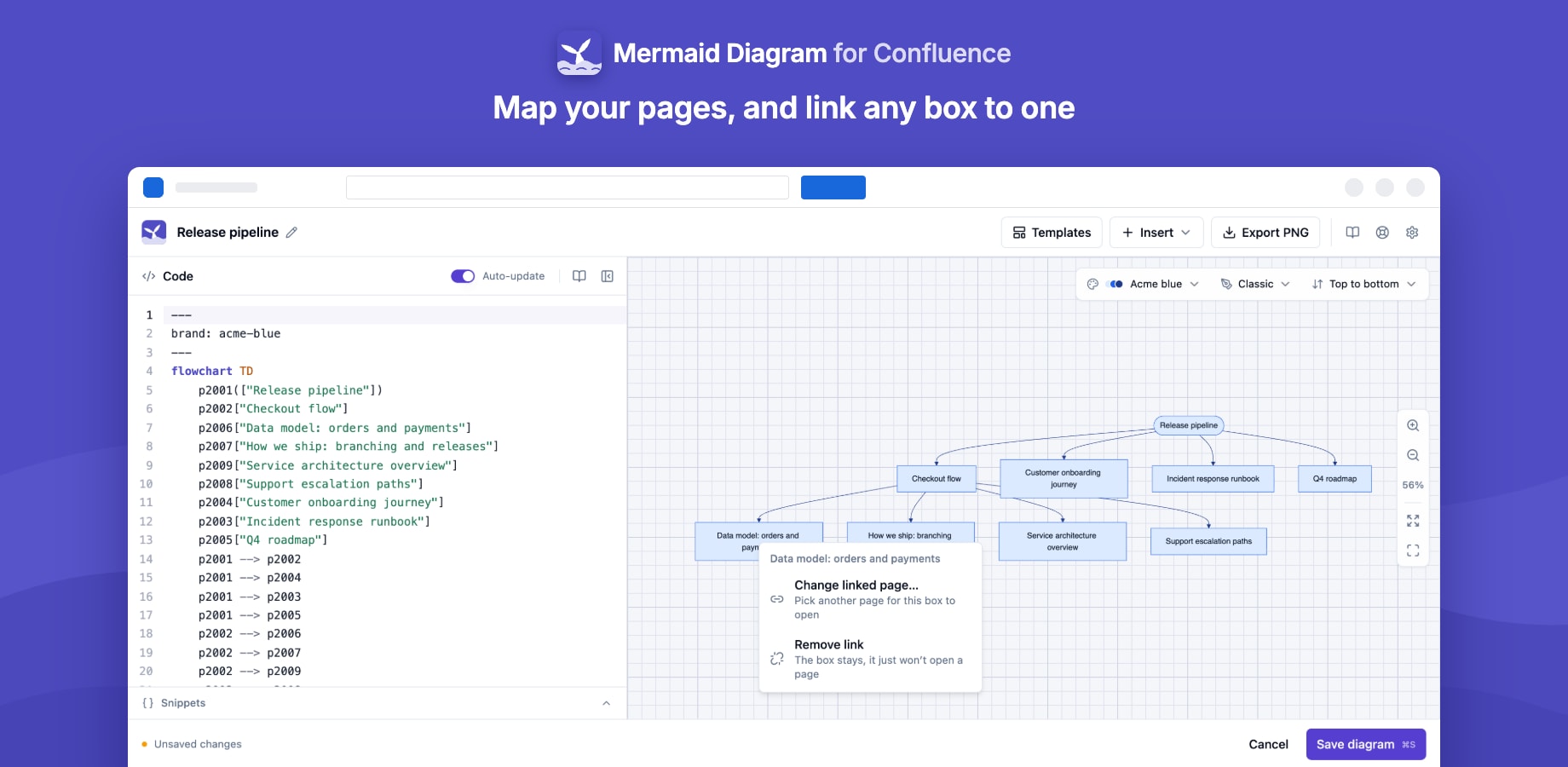
| Feature | Guide |
|---|---|
| Split editor with live preview, snippets and canvas tools | The editor |
| 12 starter templates | Templates |
| A diagram of a page and the pages under it | Page tree |
| Boxes that open Confluence pages | Links to pages |
| Site-wide colour themes with dark-mode versions | Colour themes |
| Zoom, full screen, code view and PNG on the published page | Viewing and export |
| Where diagrams are used, every page with a diagram, and repository diagrams that are out of date | Usage |
| Import from GitHub, GitLab and Bitbucket, refresh and commit back | GitHub, GitLab and Bitbucket |
A public .mmd or Markdown file from the web |
Import from a URL |
Diagrams from Markdown files
If your diagrams already live in Markdown files, as mermaid code blocks in a README or a docs folder, Markdown Importer for Confluence can bring them in as Mermaid Diagram macros instead of code. Set its Mermaid diagrams option to Render with Mermaid Diagrams, and each imported diagram opens in this app's editor like one you drew here. See Mermaid diagrams in the importer docs.
Stuck on something this page does not cover? Ask the developers.