

Export Confluence to Markdown: Introducing Markdown Exporter for Confluence
Markdown Exporter for Confluence is now available on the Atlassian Marketplace.
Confluence's built-in exports give you formats like PDF, Word and HTML. None of them fits a docs-as-code workflow, and none works well with Obsidian or a static site generator. For teams that live in both Confluence and Markdown (developers, technical writers, DevOps teams), that gap is a constant source of friction.
Markdown Exporter for Confluence is built to close it.
Can Confluence Export to Markdown Natively?
No. Confluence Cloud exports pages to PDF and Word, and spaces to HTML, XML or PDF. There is no Markdown option. Without an app, people usually try one of these:
| Method | What you get | The catch |
|---|---|---|
| Copy and paste into a Markdown editor | Plain text with some formatting | Tables, code blocks, images and macros are lost or mangled |
| Export to Word or HTML, then convert with Pandoc | A .md file per export |
Messy output, broken macros, no page hierarchy, manual work for every page |
| REST API plus your own script or an open-source converter | Full control | You maintain the script, handle auth, rate limits, attachments and macro edge cases |
| A Marketplace app such as Markdown Exporter | Clean Markdown, folders and attachments in one ZIP | Needs an app install |
For a one-off page, copy and paste may be enough. For a page tree, a full space or a repeatable docs-as-code pipeline, an app saves a lot of cleanup.
What Is Markdown Exporter for Confluence?
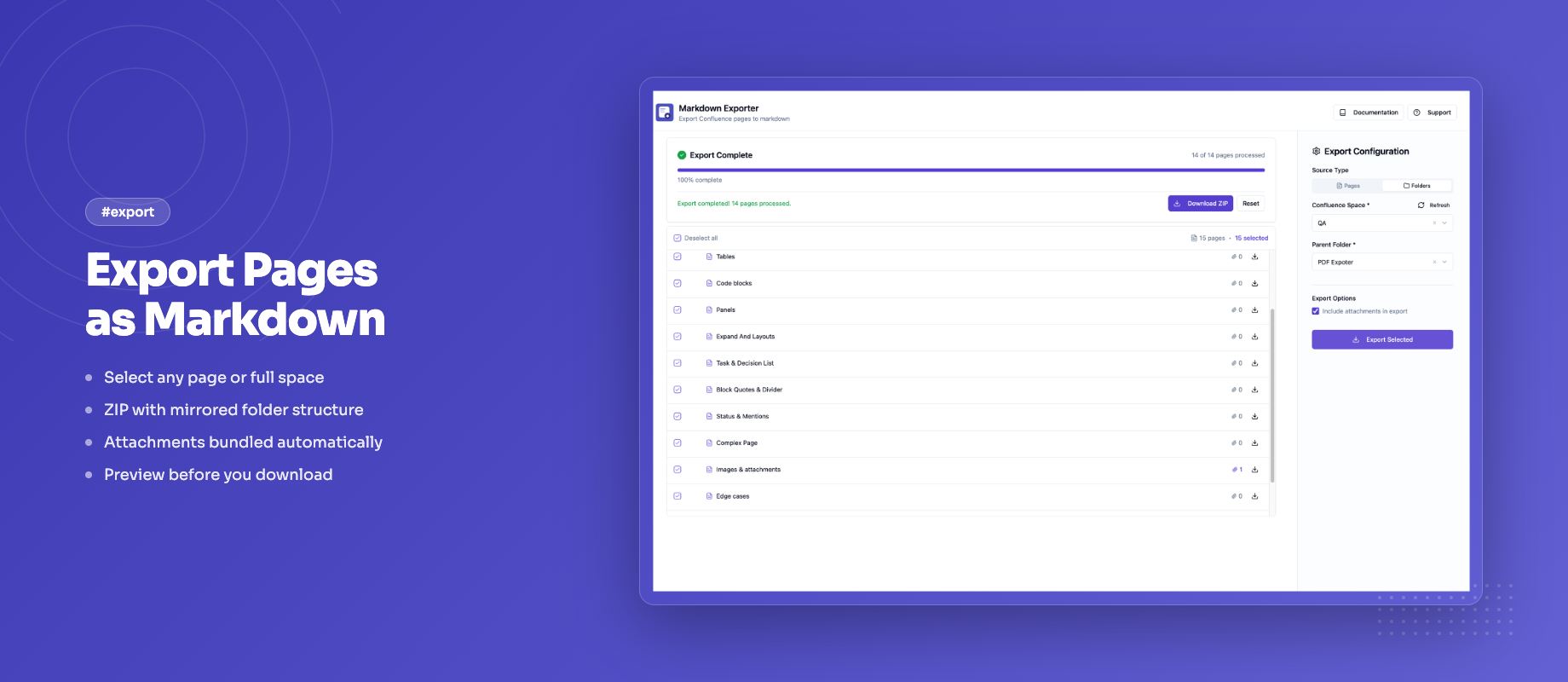
Markdown Exporter is a Confluence Cloud app built on Atlassian Forge. It exports any page, page hierarchy, or entire space to clean, well-structured Markdown without leaving Confluence.
The output is readable, portable Markdown you can use with MkDocs, Docusaurus, Obsidian, GitHub, GitLab, and other tools that understand the format.
Key Features
Pick Pages from the Tree
You choose what to export in a page tree with checkboxes:
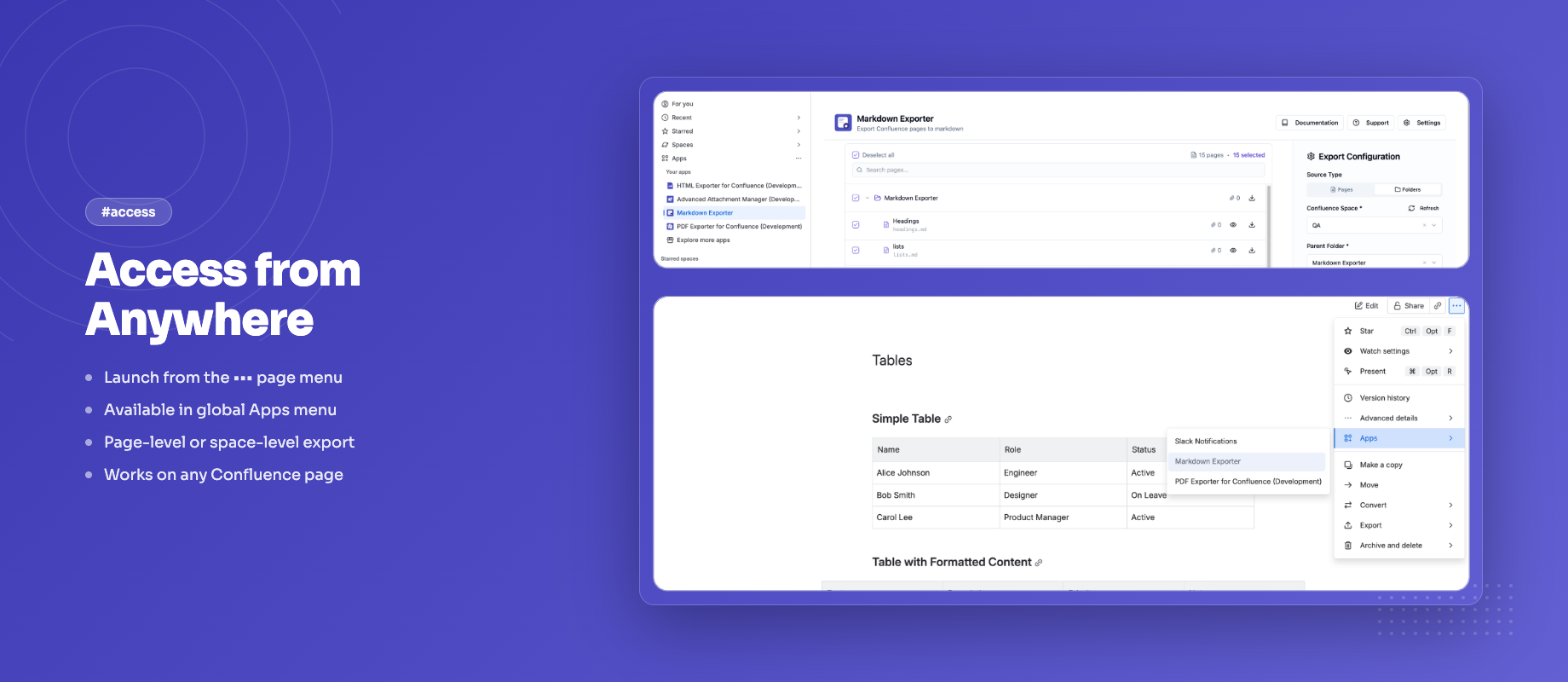
- From a page: click ••• (More actions) and select Export to Markdown. The tree starts at that page and shows all of its descendants.
- From the Apps menu: open Markdown Exporter and use the space selector to pick a space and parent page. This is how you export a whole space.
- Select: tick a page to include it. Ticking a parent selects all of its children, and you can untick the ones you don't need.
- Export: click Export Selected to download a ZIP that mirrors your Confluence structure, or use the download button on any row to grab a single page.
Optionally include attachments, which go into an attachments/ folder with relative links from the Markdown.
YAML Front Matter
Optionally include YAML front matter at the top of every exported file. Built-in fields include title, author, date, space, and confluence_id, and each can be toggled on or off. You can also define your own custom key-value fields to tag exports for downstream pipelines or static site generators.
Obsidian Wikilinks Mode
With Obsidian mode off, internal page links become relative .md paths between the exported files. Turn Obsidian mode on and they become [[Page Title]] wikilinks instead, ready for an Obsidian vault. Confluence info, note, warning and tip panels are exported as GitHub-style callouts by default (which Obsidian also renders), or as blockquotes or plain text.
Custom Filename Patterns
Define how your exported files are named using {title} (the slugified page title), {date} (the last-edited date) and {id} (the page ID). Each page in the tree shows a live preview of its filename, which helps when filenames need to be predictable, sortable, or unique.
Live Markdown Preview
Before downloading, open the preview on any page in the tree to see its Markdown and catch surprises before you export.
In-Tree Search
Search pages by title directly in the export tree with live highlighting. Useful when you're working with large spaces and only need a specific subset of pages.
Runs on Atlassian Forge
Markdown Exporter runs on Atlassian Forge and does not use external servers. Exported files are delivered directly to your browser.
REST API for Automated Exports
Markdown Exporter also has a REST API for scheduled backups, CI/CD pipelines and migration scripts. It has two endpoints:
bulkExportexports a space, or a page and all its descendants, and returns a base64-encoded ZIP (up to 100 pages per request)singleExportreturns one page as plain Markdown text
Authentication uses OAuth 2.0 (3LO) through Atlassian, with a custom export:markdown:custom scope. A site admin enables App REST APIs for the app once, and you then create an OAuth 2.0 integration in the Atlassian developer console. Exporting a single page looks like this:
curl --request POST \
  --url "https://api.atlassian.com/svc/confluence/${CLOUD_ID}/apps/${APP_ID}_${ENV_ID}/singleExport" \
  --header "Authorization: Bearer ${TOKEN}" \
  --header "Content-Type: application/json" \
  --data '{"pageId": "123456"}' \
  > my-page.md
The docs-as-code guide shows a scheduled GitHub Actions export built on it.
Export History for Admins
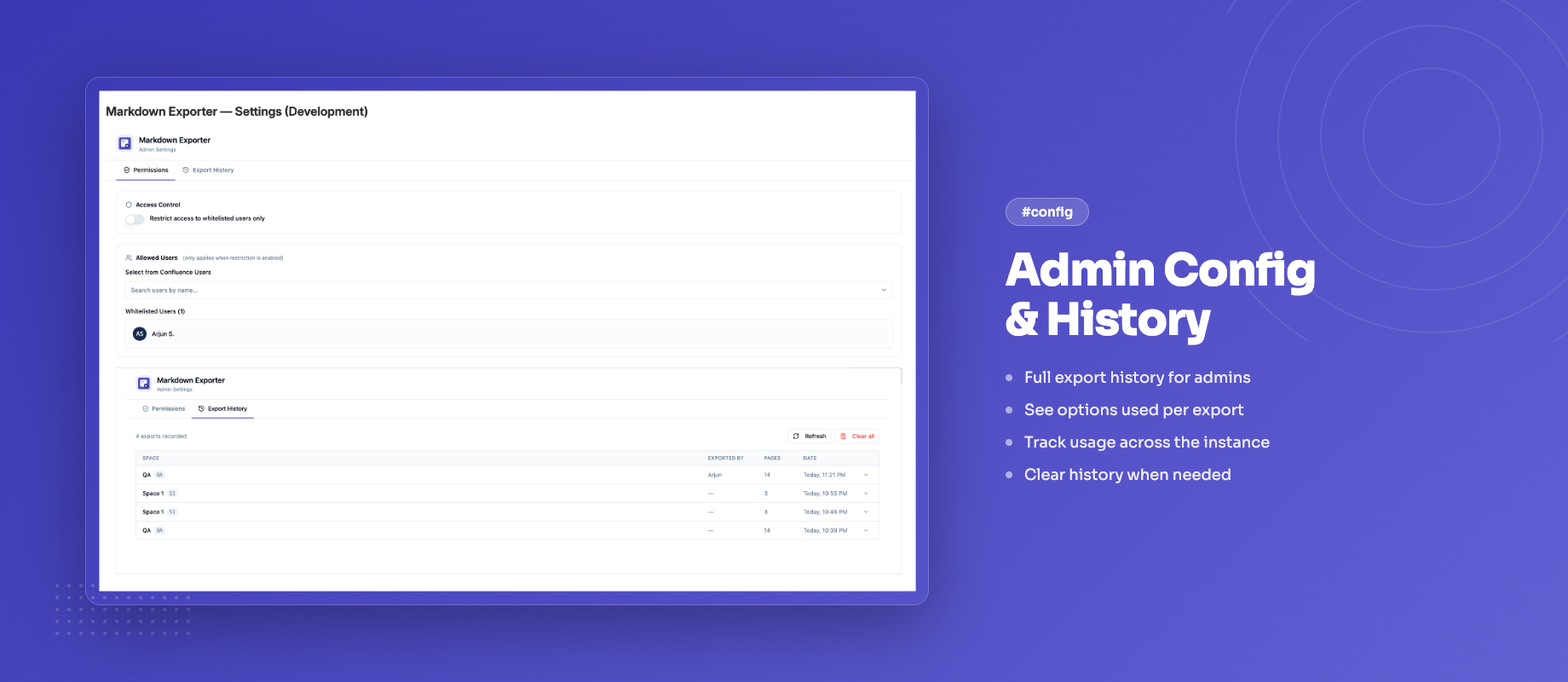
Confluence admins can see a log of exports (space, user, page count, date and options used) in the app's configuration page, and clear it when needed.
Who Is It For?
Markdown Exporter is built for teams that need their Confluence content outside Confluence:
- Developers syncing documentation with Git repositories or publishing to static sites
- Technical writers migrating content between platforms or maintaining a backup in a readable format
- DevOps and platform teams building docs-as-code pipelines where Confluence is the editing surface and Git is the source of truth
- Obsidian users who want their team's Confluence knowledge base available as a local, searchable vault
- Anyone running a Confluence migration who needs clean Markdown output as the intermediate format
Getting Started
- Install the app from the Atlassian Marketplace
- Open any Confluence page, click ••• (More actions) and select Export to Markdown
- Tick the pages you want in the tree (ticking a parent includes its children)
- Configure options: attachments, front matter, filename pattern, Obsidian mode, panel style
- Preview a page if you like, then click Export Selected and download the ZIP
Install Markdown Exporter for Confluence
Frequently Asked Questions
Can you export a Confluence page to Markdown?
Not with Confluence's built-in export, which offers formats like PDF, Word and HTML but not Markdown. With Markdown Exporter, open the page, choose ••• and Export to Markdown, then use the download button on that page's row (or tick it and click Export Selected).
How do I export a whole Confluence space to Markdown?
Open Markdown Exporter from the Apps menu, pick the space and its top-level page with the space selector, tick the pages you want, and click Export Selected. You get a ZIP whose folders mirror the page tree, with one .md file per page. For very large spaces the tree can take a few seconds to load, so starting from a section page is faster. To automate it, call the REST API's bulkExport endpoint with a spaceKey.
Are images and attachments included?
Yes, in ZIP mode with Include attachments checked. Files go into an attachments/ folder and the Markdown links to them with relative paths, so images still show after you unzip. See Export Options.
Is there a REST API?
Yes. The bulkExport and singleExport endpoints use OAuth 2.0 and are covered in the REST API docs.
Can I export Confluence to Obsidian?
Yes. Turn on Obsidian mode and links between pages become [[Page Title]] wikilinks, so the export works as a vault. There's a full walkthrough in Confluence to Obsidian.
Does the export work with MkDocs, Docusaurus or GitHub?
Yes. The output is standard Markdown with optional YAML front matter, which those tools can read. GitHub renders the default callout style for panels; for MkDocs or Docusaurus, the blockquote style is usually the cleaner choice. See docs as code with Confluence.
More Markdown Guides
- How to export Confluence to Markdown (complete guide)
- Docs as code: export Confluence to Git-ready Markdown
- How to import Markdown into Confluence
Questions or feedback? Reach out via our support portal . We'd like to hear how your team is using it.