Confluence Documentation Best Practices for Findability
Short answer: Atlassian's 2026 State of Developer Experience report puts "finding information" at the top of the list of things that slow developers down, ahead of meetings. In Confluence, most of that friction comes from duplicate pages, vague titles, pages nobody owns, and copies of repo docs that drifted. Five habits fix most of it: one home per topic, titles that match how people search, an owner and review date on every page, archiving what is stale, and keeping repo docs and Confluence in sync.
What the 2026 developer experience report says
On October 20, 2026, Atlassian published a summary of its 2026 State of Developer Experience report. The headline numbers:
- 87% of developers say AI helps them ship work faster.
- 72% experience the same or more friction than before AI.
- 65% now regularly spend time correcting AI output.
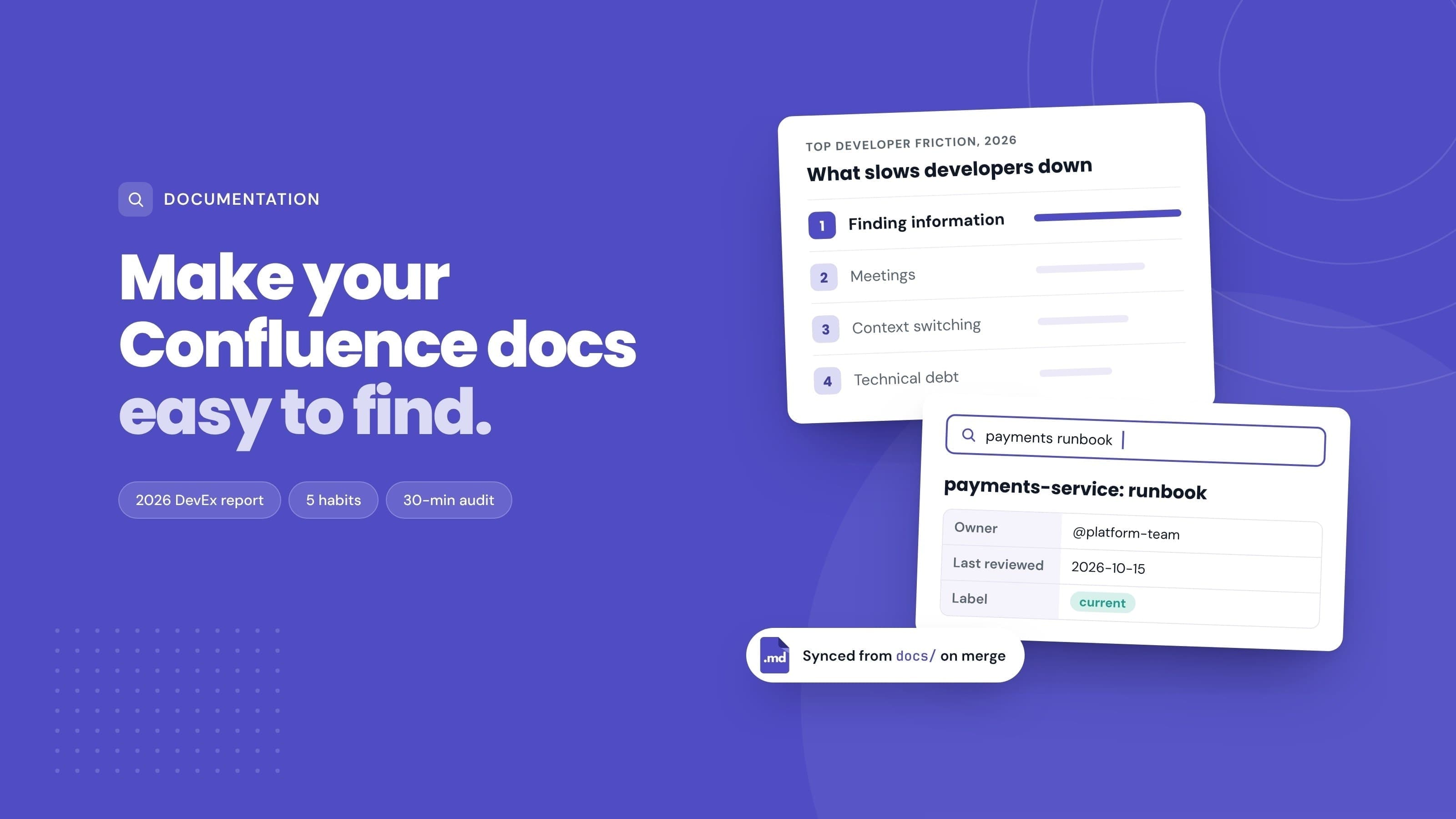
- The top sources of friction, in order: finding information, meetings, context switching, technical debt and unclear requirements. The write-up says finding information "takes top spot again in 2026".
- Only 17% of developers and 23% of leaders say their organisation has a clearly communicated and implemented AI strategy. Developers at those organisations are twice as likely to report less friction than before AI.
The part that matters for anyone who runs a Confluence site is the ranking. Finding information beat meetings as a source of friction. That is a documentation problem, and most of it can be fixed without buying anything.
Why faster AI did not make docs easier to find
AI tools speed up writing code. They do not decide which of three "Deployment process" pages is the current one. An assistant that searches or summarises your Confluence site reads the same duplicates, stale runbooks and half-finished drafts a person would, and it can repeat an outdated answer with more confidence than a person would.
So the order of work matters. A tidy, well-labelled space makes both people and search tools better. A messy one makes both worse, and the report's 65% figure on correcting AI output is partly a measure of how much bad source material is out there.
Where your documentation actually lives
Before changing anything in Confluence, list where docs live today. In most engineering teams it is some mix of:
- Confluence spaces: onboarding, architecture, runbooks, postmortems, decisions.
- The repository: READMEs,
docs/folders, API specs, ADRs written in Markdown. - Jira: requirements and context buried in issue descriptions and comments.
- Chat: answers given once in a thread and never written down.
Findability breaks at the seams between these. A developer searches Confluence, finds a page that was copied from a README a year ago, and does not know the README has changed since. The fix is not to force everything into one tool. It is to decide which tool is the source for each kind of doc, and make the others point to it. Our technical documentation use case shows one way to split it.
Five habits that make Confluence docs findable
One home per topic
Duplicate pages are the biggest single cause of "which one is right?". Pick one page as the home for each topic (a service, a process, a decision) and turn the others into short pointers or archive them.
A structure that helps: organise spaces around teams or services rather than projects, because projects end and their pages become orphans. Our guide to using Confluence as a developer wiki has a full example tree. When someone is about to create a page, the question to ask is "where would I look for this?", not "where am I right now?".
Titles that match how people search
People search for "payments service runbook" or "how to rotate the API key", not "Q3 platform notes v2". Write titles that:
- Start with the thing, then the type: "auth-service: runbook", "Billing API: authentication".
- Use the words your team says out loud, including product and service names.
- Avoid dates and version numbers unless the page really is a dated record (a postmortem, a release note).
The first line under the title matters too. A one-sentence summary of what the page covers and who it is for shows up in search results and tells a reader in seconds whether they are in the right place. For API pages, see how to document APIs in Confluence.
An owner and a review date on every page
Confluence Cloud already tracks a page owner, shown in the page details. On Premium and Enterprise, admins can use the content manager to find pages whose owner has left and change the owner in bulk. Whatever your plan, make ownership visible on the page itself.
A simple pattern: put a small table at the top of every important page inside a Page Properties macro, with three rows:
| Owner | Last reviewed | Status |
|---|---|---|
| @name | 2026-10-15 | current |
Then add a Page Properties Report macro to the space home page. It collects those tables from every page with a given label into one list, so you can sort by "Last reviewed" and see what is overdue. A review every six months suits most reference pages; runbooks and onboarding pages are worth checking every quarter.
Archive or label what is stale
Stale pages are worse than missing pages, because they look trustworthy. Confluence Cloud lets you archive a page from its more actions menu on Standard, Premium and Enterprise, and Premium and Enterprise add bulk archiving. Archived pages keep their permissions and leave everyday search results, but they can be restored if someone needs them.
Use labels for the cases in between. A current label on maintained pages and a needs-review label on pages you are unsure about make it easy to build a "Content by label" list or a search filter. If old attachments are part of the clutter, Confluence storage cleanup covers how to audit them safely.
Keep repo docs and Confluence in sync
If a doc lives in the repository, it should be written there and published to Confluence, not maintained twice. Engineers update Markdown in the same pull request that changes the code, so the repo copy stays right. The Confluence copy is where product, support and new hires find it.
Markdown Importer for Confluence Cloud handles both the first move and the ongoing sync:
- First move: import a single
.mdfile, many files or a ZIP. Folders become parent pages, so adocs/folder becomes a page tree, and local images are uploaded with the pages. See how to bulk import Markdown into Confluence. - Ongoing sync: a REST API that creates or updates one page per request, with Bearer tokens that expire after 1 to 30 days. A GitHub Actions workflow can send changed files on every merge to
main. The step-by-step setup is in how to sync GitHub docs to Confluence automatically, and the Markdown Importer docs cover the API.
Add a line at the top of each synced page saying "Edit this in the repo" with a link, so nobody fixes the Confluence copy by hand and loses the change on the next sync. If you need the opposite direction, Markdown Exporter exports pages, page trees or whole spaces to Markdown; Confluence Markdown export for docs as code explains when that is worth doing.
A 30-minute findability audit
Pick your busiest engineering space and run this with a timer.
- Ten searches (10 minutes). Write down ten questions new joiners asked in the last month. Search for each in Confluence. Note whether the right page was in the top three results, and how many competing pages came up.
- Stale pages (5 minutes). In search, filter the space by "Last updated" and look at pages untouched for over a year. Mark each as keep, update or archive. Admins on Premium or Enterprise can use the content manager's "Last active" filter in space settings instead.
- Owners (5 minutes). Open the ten most-viewed pages. Does each have a named, current owner? Note the ones that do not.
- Duplicates (5 minutes). For the topics where search returned two or more candidates, pick the home page and list the others to merge or archive.
- Repo drift (5 minutes). For three pages that started life as repo docs, compare them with the current Markdown in the repository. If they differ, that topic is a candidate for automated sync.
You end with a short list: pages to archive, pages that need owners, duplicates to merge and docs to sync. That list is usually enough work for one sprint.
What to measure next quarter
You do not need a dashboard to tell whether this worked. Re-run the same ten searches in three months and track:
- Search hit rate: how many of the ten questions return the right page in the top three.
- Pages with an owner and a review date in the last six months, as a share of the space.
- Duplicates per topic for the topics you merged.
- Repo-synced pages that match the repo, if you set up the sync.
If you want a people measure, ask new joiners in their first month how often they could not find something. It is the same question the Atlassian report asked, at the size of your team.
Frequently asked questions
What does the 2026 State of Developer Experience report say about documentation?
It does not mention documentation by name. It ranks "finding information" as the top source of developer friction for 2026, ahead of meetings, context switching, technical debt and unclear requirements. It also reports that 87% of developers say AI helps them ship faster, while 72% experience the same or more friction than before.
How do I find stale pages in Confluence?
Use the "Last updated" filter in Confluence search to list pages in a space that have not changed for a year or more. On Premium and Enterprise, space admins can also open space settings, choose the content manager and filter by "Last active". Review the list before archiving, because some old pages, such as decision records, are meant to stay unchanged.
Should engineering docs live in Confluence or in the repo?
Docs that change with the code, such as READMEs, API references and setup steps, are easiest to keep correct in the repo. Docs that other teams read, such as runbooks, onboarding guides and architecture overviews, are easier to find in Confluence. Many teams write in the repo and publish to Confluence automatically, so both audiences get the same content.
How often should Confluence pages be reviewed?
Every six months suits most reference pages. Runbooks, onboarding pages and anything tied to a fast-changing system are worth checking every quarter. Record the date on the page so anyone can see when it was last checked.
Does Confluence have page owners?
Yes. Confluence Cloud shows a page owner in the page details. On Premium and Enterprise, admins can find pages whose owners are no longer active and change the owner in bulk from the content manager. Many teams also add an Owner row to a Page Properties table so the owner is visible at the top of the page.
How do I stop duplicate pages in Confluence?
Give each topic one home page, organise spaces around teams or services, and use titles that match how people search, so the existing page shows up before someone creates a new one. When duplicates appear, merge the content into the home page and archive the rest.
Try it
Run the 30-minute audit on one space this week. If repo docs drifting out of date is on your list, Markdown Importer for Confluence Cloud can import your docs/ folder as a page tree and keep it in sync from GitHub Actions. The quick start takes a few minutes.