.png&w=64&q=75)
By Yamuno Team
02 Apr 2026
3 min read
Introducing HTML Macro+ for Confluence
We're thrilled to announce that HTML Macro+ for Confluence is now live on the Atlassian Marketplace — and it's free!
Confluence is great for documentation, but sometimes you need more than what native macros can offer. Now you can embed fully custom HTML, CSS, and JavaScript directly inside any Confluence page — interactive charts, branded sections, custom embeds, you name it.
What Is HTML Macro+ for Confluence?
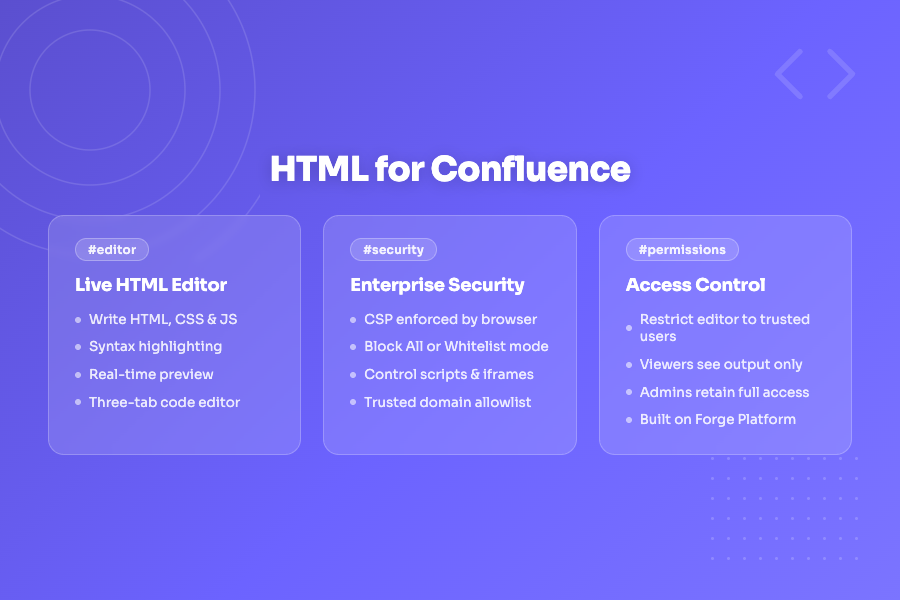
HTML Macro+ for Confluence is a Forge-native Confluence Cloud app that lets you insert a rich code editor directly into any page. Write HTML, CSS, and JavaScript with syntax highlighting, see a live preview as you type, and publish polished interactive content — all without leaving Confluence.
Key Features
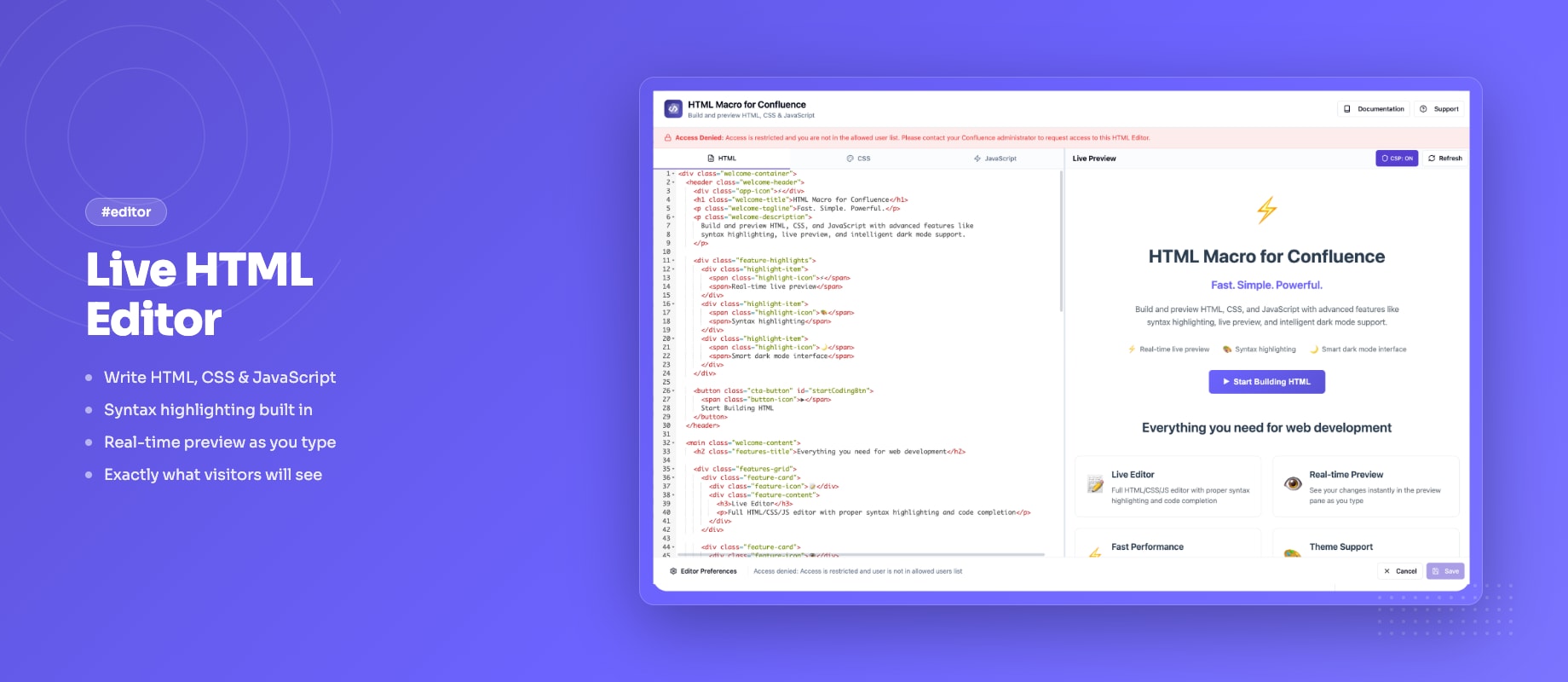
Code Editor with Live Preview
The macro opens a three-tab editor (HTML, CSS, JS) with syntax highlighting. A resizable split panel shows the rendered output in real time as you type — no more guessing how your code will look once saved.
Enterprise-Grade CSP Security
Security is built in, not bolted on. Admins choose from three Content Security Policy modes:
- Block All — no external resources allowed (strictest, default)
- Whitelist — only domains you explicitly approve can load resources
- Allow All — unrestricted, for trusted internal environments
This means you can let teams use Chart.js, Google Maps, or YouTube embeds safely — by whitelisting only the domains you trust.
Editor Access Control
Not everyone on a page should be able to edit embedded code. HTML Macro lets admins whitelist specific users who can open the code editor. Everyone else sees only the rendered output — source code stays private.
Automatic iframe Height
The macro auto-adjusts its iframe height to match the content — no fixed heights to set, no awkward blank space below your widget.
Macro Usage Analytics
Admins get a dashboard showing every Confluence page using the HTML Macro across the entire instance, with space breakdowns and direct page links. Understand adoption and audit usage in seconds.
Runs Entirely on Atlassian Forge
HTML Macro+ for Confluence is 100% Forge-native. All content is stored inside Atlassian's infrastructure. Nothing is sent to external servers — ever.
What Can You Build?
Here are a few things teams are already building with HTML Macro+ for Confluence:
- Interactive dashboards using Chart.js or D3.js
- Branded internal landing pages with custom CSS layouts
- Embedded maps via Google Maps or Leaflet
- Video embeds (YouTube, Vimeo) with custom styling
- Custom tables and data grids with sorting and filtering
- Onboarding checklists and interactive forms
- Countdown timers and status banners
If you can build it with HTML, CSS, and JavaScript — you can put it in Confluence.
Getting Started
- Install the app from the Atlassian Marketplace
- Open any Confluence page and type
/HTML Macro - Write your HTML, CSS, and JavaScript in the editor
- See the live preview update as you type
- Save and publish — your content is live
Free on the Marketplace
HTML Macro+ for Confluence is available for free. Install it today and start building richer Confluence pages in minutes.
👉 Install HTML Macro+ for Confluence
Questions or feedback? Reach out via our support portal — we'd love to hear what you build with it.
Featured App
HTML Macro+
The free way to add HTML, CSS, JavaScript and iframes to Confluence Cloud pages, with live preview, version history and admin-grade security.
Stay in the loop
Get product updates and tips straight to your inbox.
No spam, ever.



Related Articles
5 Ways to Use HTML in Confluence Cloud (With Examples)
Confluence Cloud has no built-in HTML macro. Here are five practical ways teams still use HTML, CSS and JavaScript in Cloud pages, with copy-paste examples for each.
What Confluence's Built-In PDF Export Can't Do
Confluence's native PDF export is fine for a single page, then it hits a wall. Here's exactly what the built-in export can't do, so you know when you've outgrown it and what to reach for next.
How Compliance Teams Export Confluence Content to PDF
Compliance and legal teams need audit-ready, consistently formatted PDF exports from Confluence — with watermarks, consistent headers, and a full record of what was exported. Here's how to set that up.